Managed service
AI Order Entry for Manufacturers and Distributors
Orders from email, PDF, WhatsApp, and phone, entered in your ERP without retyping.
Your customers keep ordering the way they do today. Logistify reads each email, PDF, spreadsheet, WhatsApp message, text, and voicemail, matches every line to the right product in your catalog, and creates the sales order in QuickBooks Desktop, Unleashed, Brightpearl, or your ERP. Orders that need a decision wait for your team with the reason.
- 5
- order channels
- 3
- price checks per line
- 0
- unclear orders sent to the ERP
Incoming order
+ Email · + SMS · + PDF / Paper · + Voicemail
Logistify AI
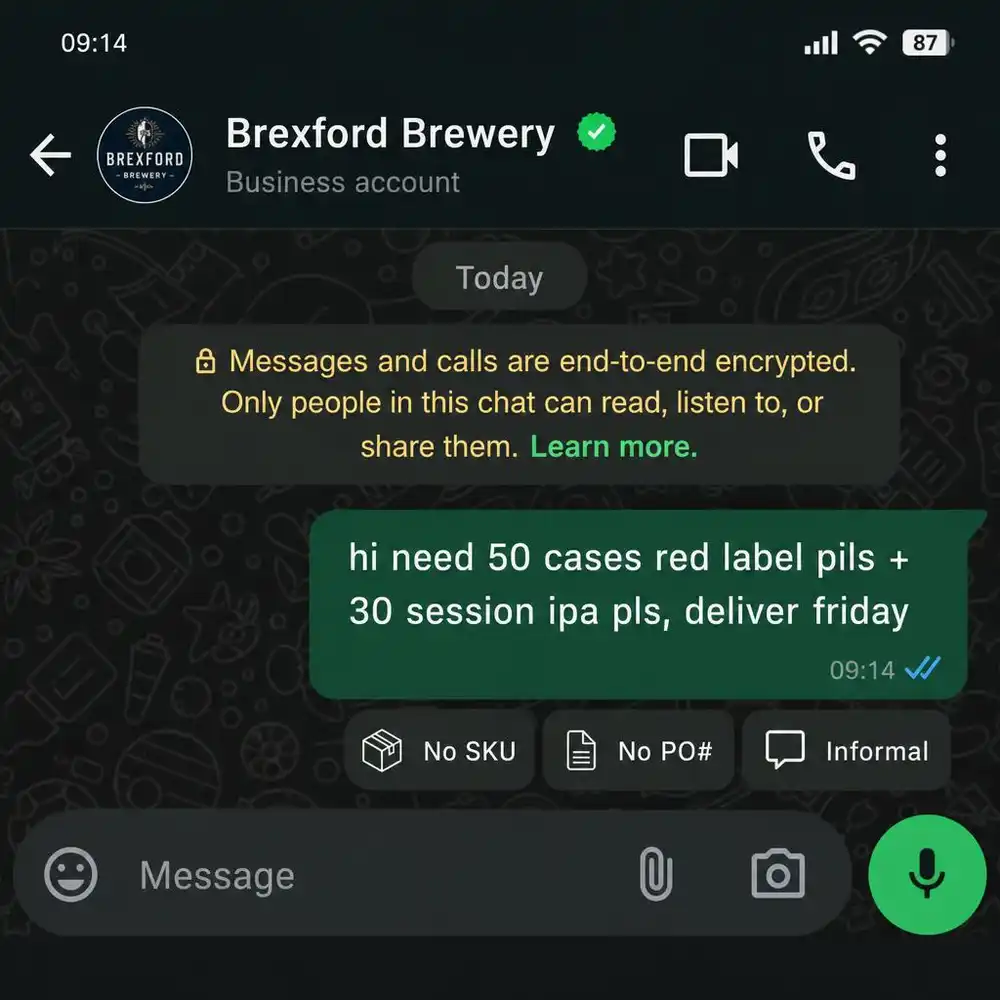
Reading WhatsApp message…
ERP-ready output
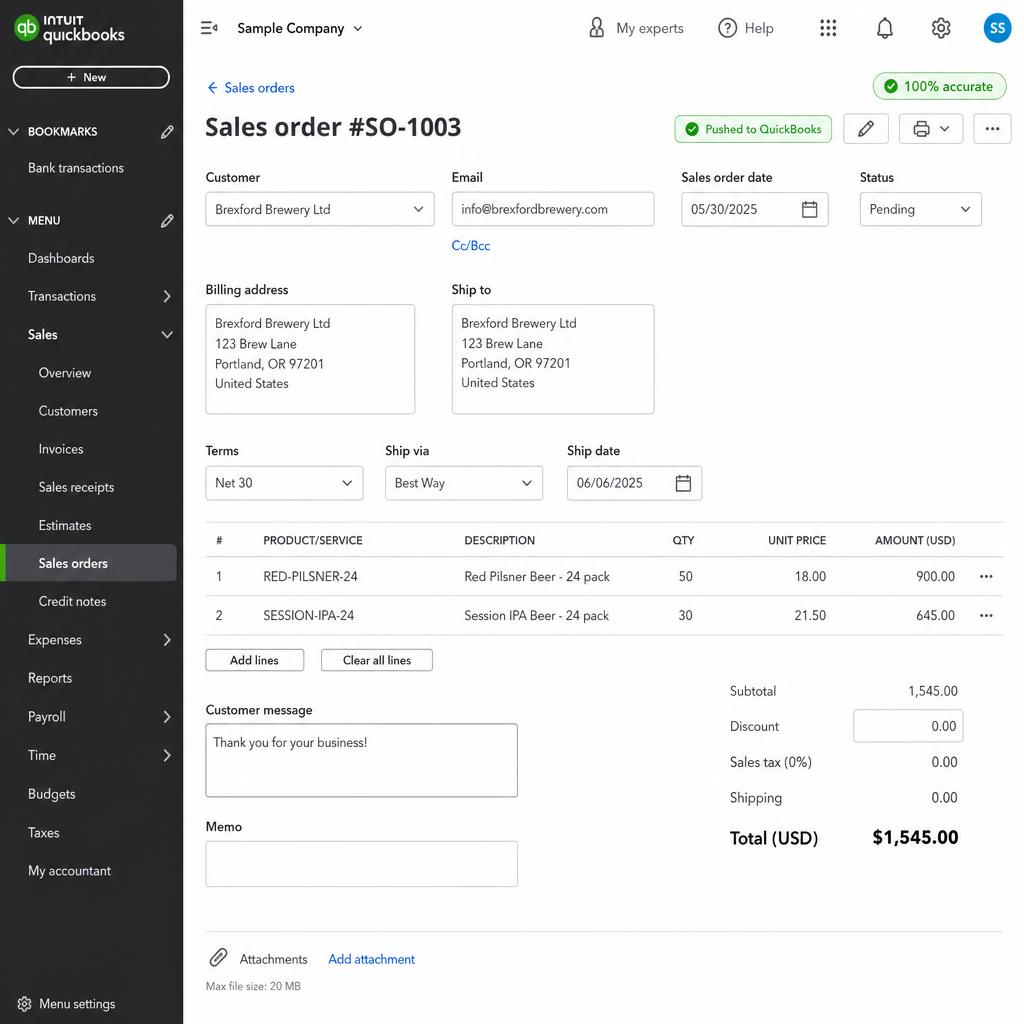
100% accuratePushed to QuickBooks · No open questions
The problem
Your team retypes every order into the ERP.
Orders arrive as emails, PDF purchase orders, spreadsheets, WhatsApp messages, texts, and voicemails. Someone reads each one, works out which products the customer means, checks the price, and keys it into QuickBooks or the ERP line by line. Customers use their own names for your products. The same PO arrives twice. A rush order sits in an inbox until someone gets to it. Until it is typed in, your ERP doesn't know the order exists.
The solution
Send the orders to Logistify. We create them in your ERP.
Customers keep ordering the way they do now. You forward email orders to a Logistify address and connect your WhatsApp, SMS, and phone lines. We read each order, match every line to a product in your catalog using that customer's past orders, check the price against what the customer wrote, and create the sales order in your ERP. When something is unclear, such as an unknown product, a price that doesn't match, or a quantity far from normal, the order waits for your team with the reason instead of going in wrong.
- 5
- Channels read: email, WhatsApp, SMS, voicemail, and recorded calls
- 3
- Checks that each price is the price the customer wrote
- 15%
- Change from a customer's usual quantity that holds the order for a person
- 0
- Orders sent to your ERP while a product, price, or quantity question is open
How it works
How Logistify delivers the work
01
An order arrives
Customers email or forward orders, message on WhatsApp, text, call, or leave a voicemail. One email that holds several purchase orders is split into separate orders.
+ Email · + SMS · + PDF / Paper · + Voicemail
02
We read it
Text comes from the email body and from PDF, Word, Excel, and CSV attachments. Scans and photos are read with OCR. Voicemails and recorded calls are transcribed first.
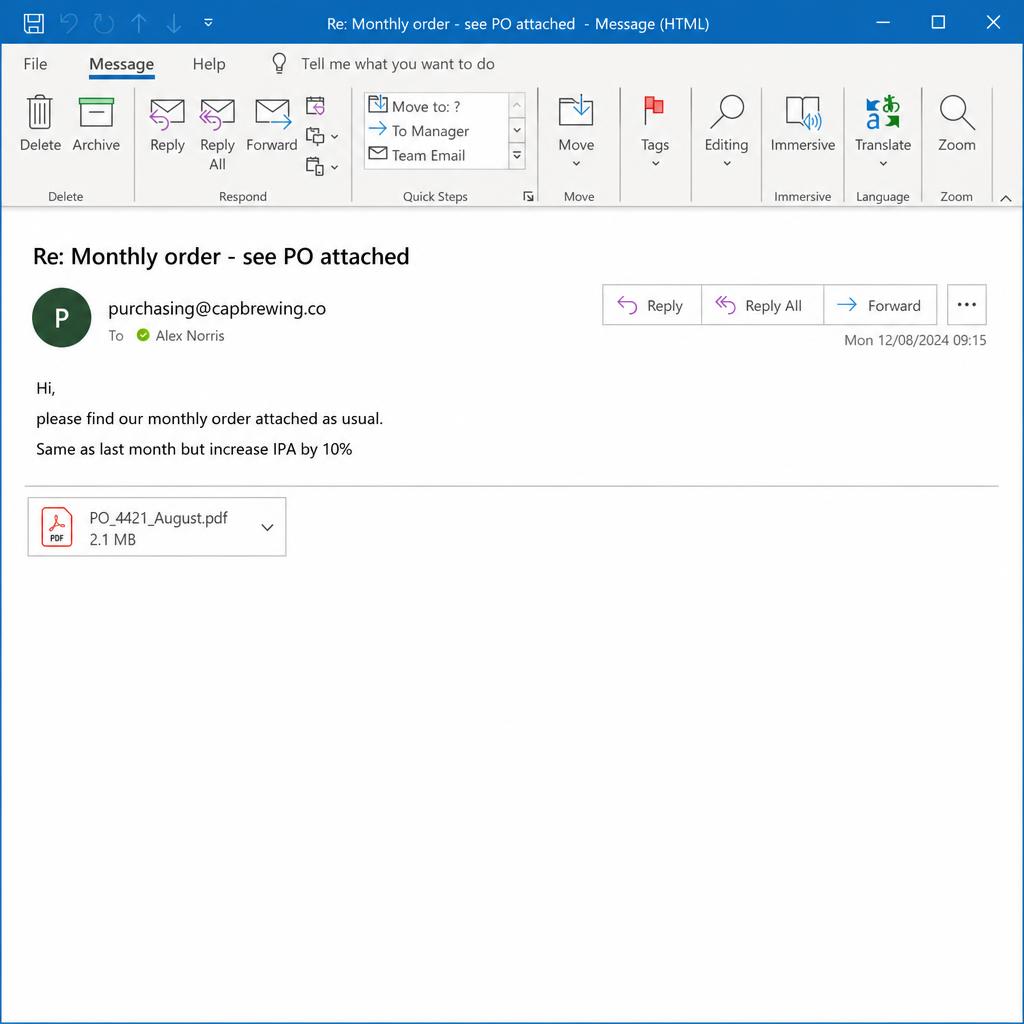
Extracted fields
- Customer
- Brexford Brewery Ltd
- Products
- 50 × Red Label Pilsner · 30 × Session IPA
- Delivery
- Friday before noon
03
Every line is matched and checked
Product names are matched starting with what that customer ordered before, then your full item list, then any rules your team sets ("when they write X, use Y"). Case and unit conversions are applied. Prices are checked against the order, and quantities far from the customer's usual are held.
Brexford Brewery
WhatsApp · 09:14
hi need
50 cases red label pils
30 session ipa
pls, deliver friday
09:14 ✓✓
2 of 2 items matched · inventory checked
04
The order is created, or it waits with a reason
Orders with no open question are created in your ERP. Anything else goes to your team with the reason and the original document attached, so fixing it takes a minute instead of a retype.
Logistify review queue
Order #4421 · Brexford Brewery
RED-PILSNER-24
Red Label Pilsner · Case/24
×50
$18.00
SESSION-IPA-24
Session IPA · Case/24
×30
$21.50
→ Pushed to QuickBooks Online · Original PO attached
See it in action
Watch our team run the Sales Order Agent
Our team uses the AI Agent to handle the workflow, review exceptions, and return the completed work through your existing systems.
Capabilities
What's included in the service
Product matching
Matches what customers write to what's in your catalog.
Customers write nicknames, abbreviations, and their own part numbers. Logistify checks that customer's past orders first, then your whole catalog, then the swap rules your team sets. A line it can't place with confidence is held, not guessed.
Product names
"Red Label Pils"
Resolved to RED-PILSNER-24
Order checks
Catches the orders that would go in wrong.
Every price is checked against the customer's document. A quantity well above or below what the customer usually orders holds the order. A repeat of a purchase order you already entered is stopped before it reaches the ERP.
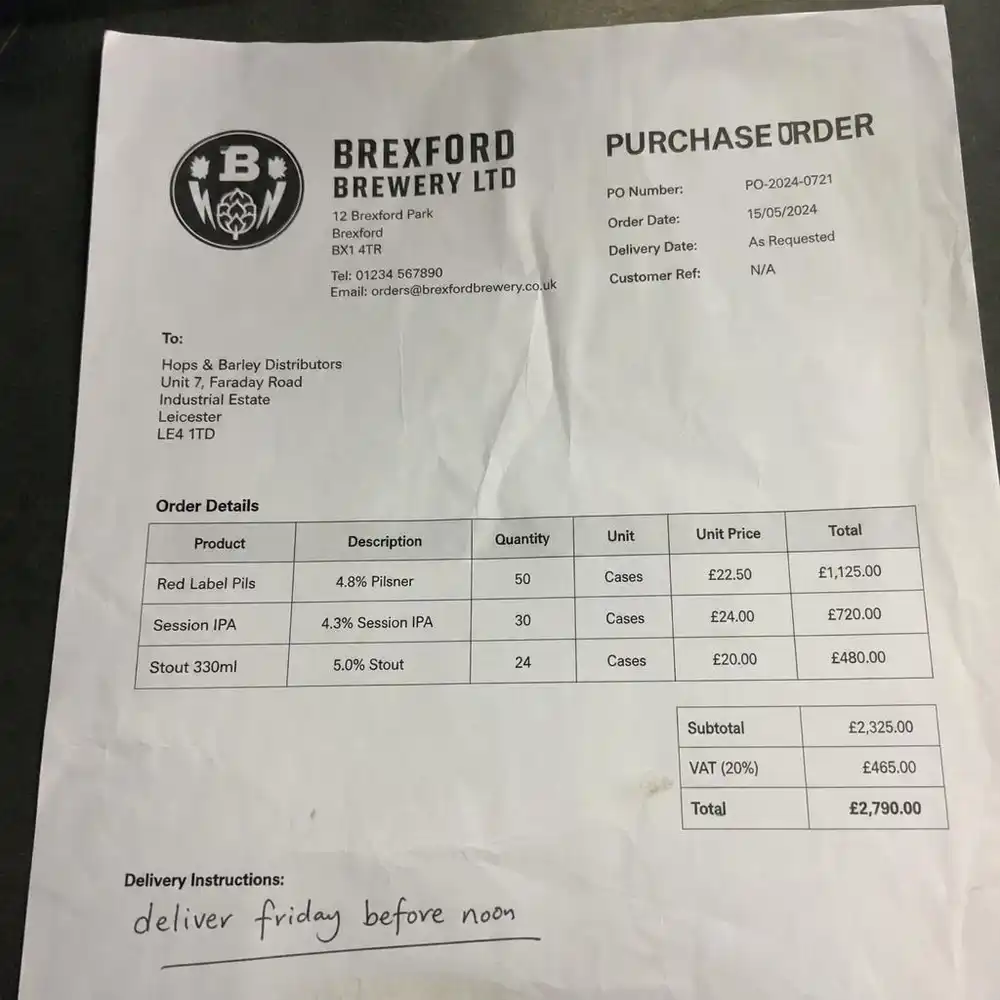
Order PO-2024-0721
Held for your teamRed Label Pilsner · 24pk
RED-PILSNER-24 · $18.00 matches PO
× 50
usually 48
Session IPA · 24pk
SESSION-IPA-24 · $21.50 matches PO
⚠ × 240
usually 24
Dark Stout · 330ml × 24
STOUT-330ML-24 · $19.75 matches PO
× 24
usually 24
SESSION-IPA-24: 240 ordered, this customer usually orders 24. Not sent to QuickBooks until someone checks.
Human review of exceptions
Your team decides only the exceptions.
Orders with no open question go straight into your ERP. Everything else waits with the reason and the original order. You can pause sending to the ERP at any time and nothing is lost.
Status
Pushed to QuickBooks
No open questions on this order
ROI Calculator
See how much manual order entry is really costing you.
Adjust the inputs to match your team. The numbers update live.
Your operation
These are estimates, not benchmarks. Adjust the inputs above to match your team. The results also assume Logistify handles 85% of orders without a person, catches 90% of entry errors, and that an entry error puts 12% of the order's value at risk. A pilot on your own orders shows your real numbers.
Your projected savings
Annual time value saved
$17k
85% of entry time × $28/hr × 12 months
Per-employee savings
$17k
Annual savings ÷ 3 people
Yearly error cost avoided
$26k
8% error rate × $850 avg order × 90% caught × 12% at risk
Total annual value
$44k
Labor savings + error cost avoided
Input channels
Works with how your people already communicate
- SMS
- Voicemail
- Paper / PDF
- Excel
- E-commerce
ERP integrations
Connects to your existing systems
 QuickBooks Online
 TallyPrime / Tally ERP9
 Unleashed Software
 BREWW
BREWW- SYSPRO ERP
 SAP
SAP Shopify
 Xero
Xero- Don't see your ERP?Contact us
How we work
A managed service, not order entry software.
Most order entry automation software gives your team a tool to set up, train, and watch every day. Logistify runs the order intake for you. We connect your channels, set up product matching from your catalog and order history, and keep it tuned. Your team sees only the orders that need their judgment.
FAQ
Common questions
- What is AI order entry?
- AI order entry reads customer orders from email, PDFs, spreadsheets, and messages, matches each line to a product in your catalog, and creates the sales order in your ERP, so nobody retypes it. Logistify runs it as a managed service and sends only the orders that need a decision to your team.
- Does it work with QuickBooks Desktop Enterprise?
- Yes. Logistify creates sales orders in QuickBooks Desktop, including Enterprise, and reads your past orders to learn which products each customer buys.
- Is this AI order processing software?
- It does the same job: it reads incoming orders and creates the sales orders in your ERP. The difference is that Logistify runs it for you as a managed service, so your team doesn't set up or maintain the software and sees only the orders that need a decision.
- How much does AI order entry cost?
- Logistify's Core plan is $499 a month billed annually, or $599 month to month, for about 25 orders a day taken in by email. Business covers about 70 orders a day and adds WhatsApp. A 30-day pilot on your own orders costs $1,000.
- Can it read PDF purchase orders and scanned paper orders?
- Yes. PDFs with a text layer are read directly, and scans and photos are read with OCR. An email that holds several purchase orders is split into separate orders.
- What happens when it isn't sure?
- The order is held, not guessed. It waits for your team with the reason: a product it couldn't match, a price that doesn't match the customer's document, or a quantity far from what that customer usually orders.
- Do our customers have to change how they order?
- No. They keep emailing, sending PDFs, messaging on WhatsApp, texting, and calling.
- Does it stop duplicate purchase orders?
- For email orders, yes. The same email is never processed twice, a repeat of the same customer and PO number is rejected, and the same order sent as both a PDF and a spreadsheet is held for review.
Send us a week of real orders.
Forward a sample of the emails, PDFs, and spreadsheets your team typed in last week. We'll show you how each would have been entered and which would have waited for your team.
Further reading
Sales Order Agent
AI Sales Order Automation for QuickBooks Desktop Enterprise
QuickBooks Desktop Enterprise has no cloud REST API, which is why most automation tools cannot write orders into it. AI document automation, paired with a connector agent inside your network that speaks QBXML, is the practical way to automate sales order entry without migrating off Enterprise.
Read the articleIndustry Research
AI Order Entry Software: The Complete Guide for Manufacturers and Distributors
AI order entry software reads inbound purchase orders from email, PDF, EDI, WhatsApp, and other channels, extracts every line item, validates against your ERP, and posts confirmed sales orders without manual re-keying. Most tools require a cloud ERP, which leaves QuickBooks Desktop operators behind. This guide covers the full category.
Read the articleProduct
How AI Reads PDF Purchase Orders and Enters Them into QuickBooks Desktop Enterprise
When a PDF purchase order arrives by email, a six-step process runs before a confirmed sales order appears in QuickBooks Desktop Enterprise: document ingestion, OCR extraction, field parsing, SKU mapping, validation against QuickBooks data, and a QBXML write through the QuickBooks Web Connector. This post walks through each step in plain operational terms.
Read the article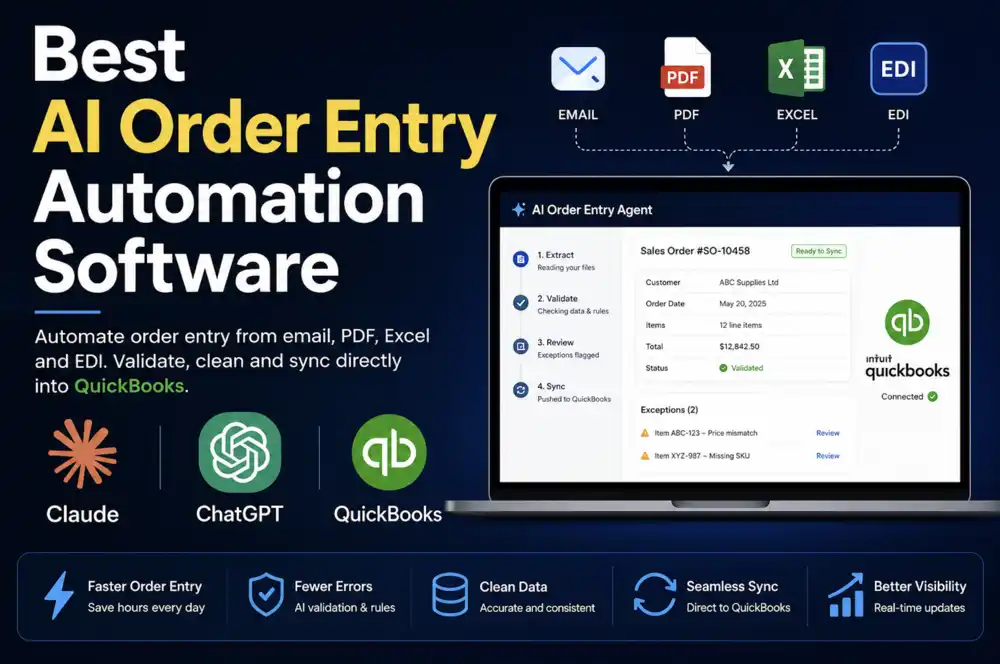
Industry Research
Best AI Order Entry Automation Software for Manufacturers and Wholesale Distributors (2026)
Five AI order entry tools compared honestly for manufacturers and wholesale distributors: Logistify AI, Conexiom, Esker, WizCommerce, and Canals. What each actually reads, which ERPs they connect to, whether there's a human review step before orders hit your system — and why QuickBooks Desktop support is the line that splits this market in two.
Read the articleExplore other AI Agents
Accounts Receivable Agent
Upload your bank file. We match each customer payment to the open invoices it pays, record it in your accounting system, and explain every payment that needs a person.
Learn moreProcurement Agent
Logistify automates purchase order tracking after approval, follows up with suppliers and vendors, captures their commitments, and routes important differences to the right person.
Learn moreProduct Catalog Agent
Send us your supplier spreadsheets, exports, PDFs, and product files. Our team and Product Catalog Agent clean, validate, and publish the finished records to your ERP, ecommerce store, and marketplaces.
Learn more