Sales Order Entry·Apr 9, 2026·16 min read
What Is Sales Order Entry? The Definitive Guide

Daniel Emaasit
CEO, Logistify AI

TLDR
Sales order entry is the process of capturing a customer's purchase order — received by email, PDF, phone, WhatsApp, EDI, or paper — and recording it accurately in an ERP system so that fulfilment, inventory, and invoicing can proceed. Done well, it is fast, accurate, and invisible to the customer. Done poorly — or not at all — it becomes one of the most expensive hidden costs in a wholesale or distribution business.
Monday Morning, 847 Unread Emails
It is 8:00 a.m. on a Monday. The order entry team at a mid-sized wholesale distributor is already behind. Over the weekend, 43 purchase orders arrived — some as PDF attachments to emails, some typed into the email body, a handful sent via WhatsApp, and two that came in as voicemails that someone has to transcribe. The ERP system is open on three screens. The team's job for the next four hours is to read each order, find the right customer account, match every line item to the correct SKU and price, type the data into the system, and send a confirmation back to the buyer.
The first order is straightforward — a repeat customer, three products they always buy, standard pricing. It takes four minutes. The second is harder: the customer sent a PDF formatted in their own template, with product descriptions that do not match the distributor's catalogue names. Someone has to figure out which SKU they actually mean. The third order has a price from six months ago on it. Should you key it at the old price and flag it, or hold the order until the account manager confirms?
By 10:00 a.m., 18 of the 43 orders have been entered. The fulfilment team is asking when the warehouse will get pick lists. The account manager for the third order has not replied yet. Two customers have already followed up asking for order confirmations. This is what manual sales order entry looks like at scale — and it is happening every day at thousands of wholesale and distribution businesses around the world.
Sales order entry is the problem that process exists to solve.
What Is Sales Order Entry?
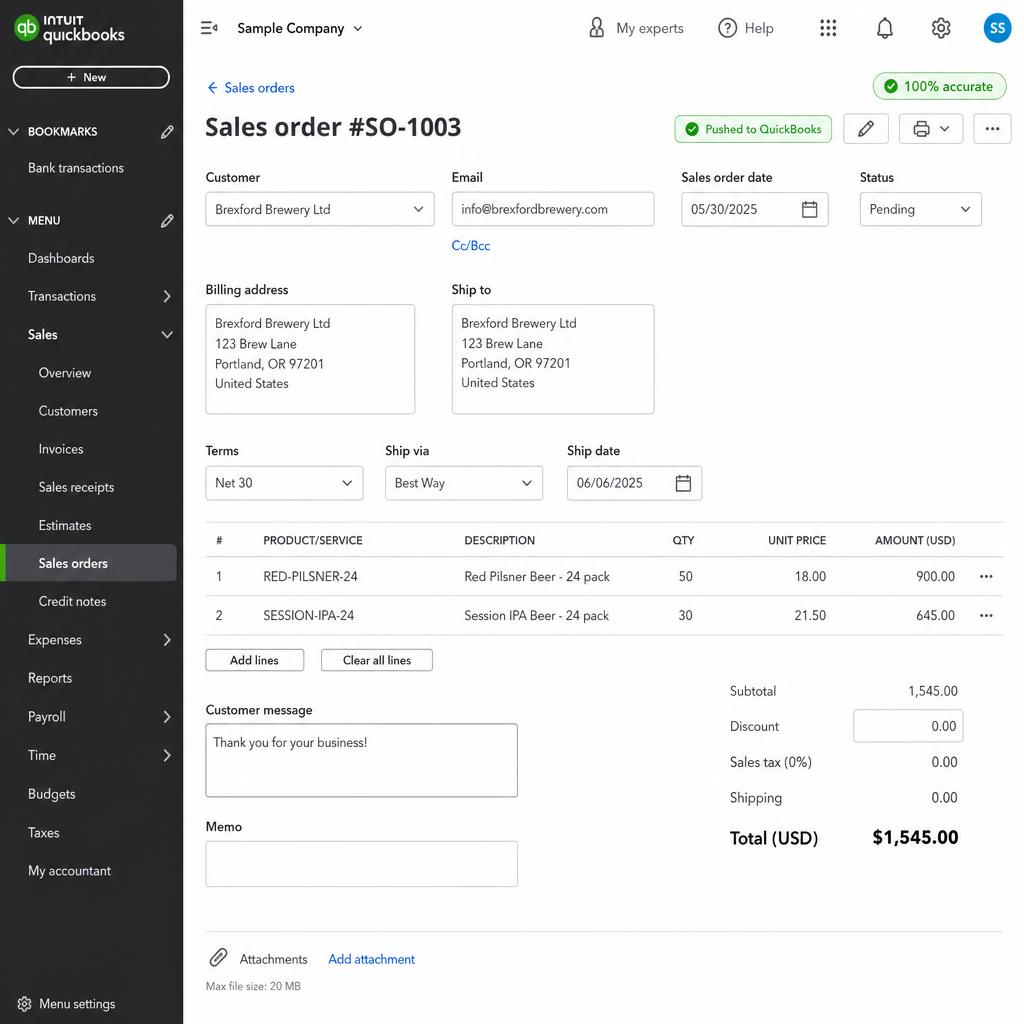
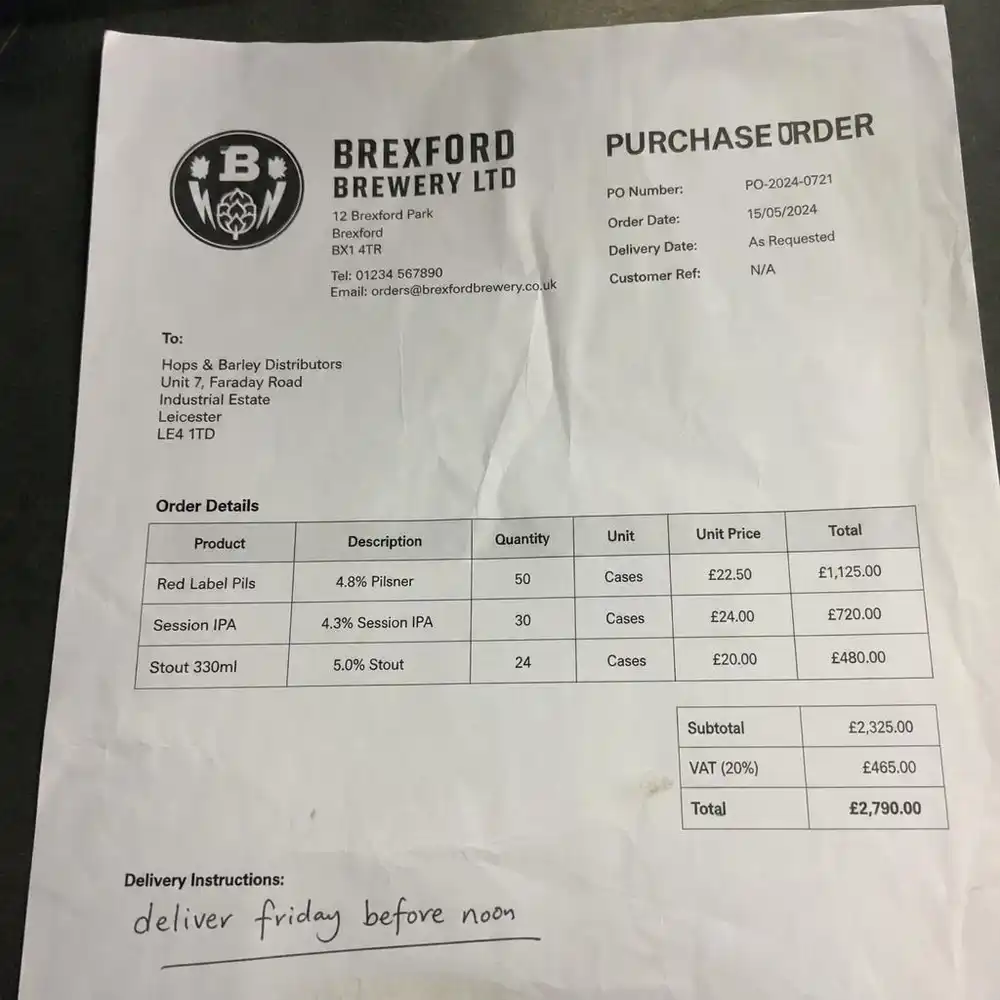
Sales order entry is the process of receiving a customer's purchase order and recording it in an ERP (Enterprise Resource Planning) system so that the business can act on it. The entry step translates an external document or communication — an email, a PDF, a phone call, an EDI file — into structured data inside the system: customer account, delivery address, product lines, quantities, agreed prices, requested delivery date, and any special instructions.
An ERP in this context is the software that manages the core operations of the business — inventory, order fulfilment, purchasing, invoicing, and financial reporting. Common ERPs used by wholesale and distribution businesses include SAP, Oracle, NetSuite, Unleashed, Brightpearl, TallyPrime, MYOB, and QuickBooks with inventory add-ons. The ERP is the single source of truth: nothing moves in the warehouse, gets invoiced, or gets purchased from a supplier until it exists as a record in the ERP.
Sales order entry is not optional. It is the mandatory first step that unlocks everything downstream — pick list generation, inventory allocation, shipping label creation, and the invoice. Without it, the business cannot respond to a customer order in a structured, traceable way.
The Core Components of Sales Order Entry
Sales order entry involves several interconnected steps. Each one matters because an error at any point propagates forward into fulfilment, invoicing, and customer relationships.
Order Sources
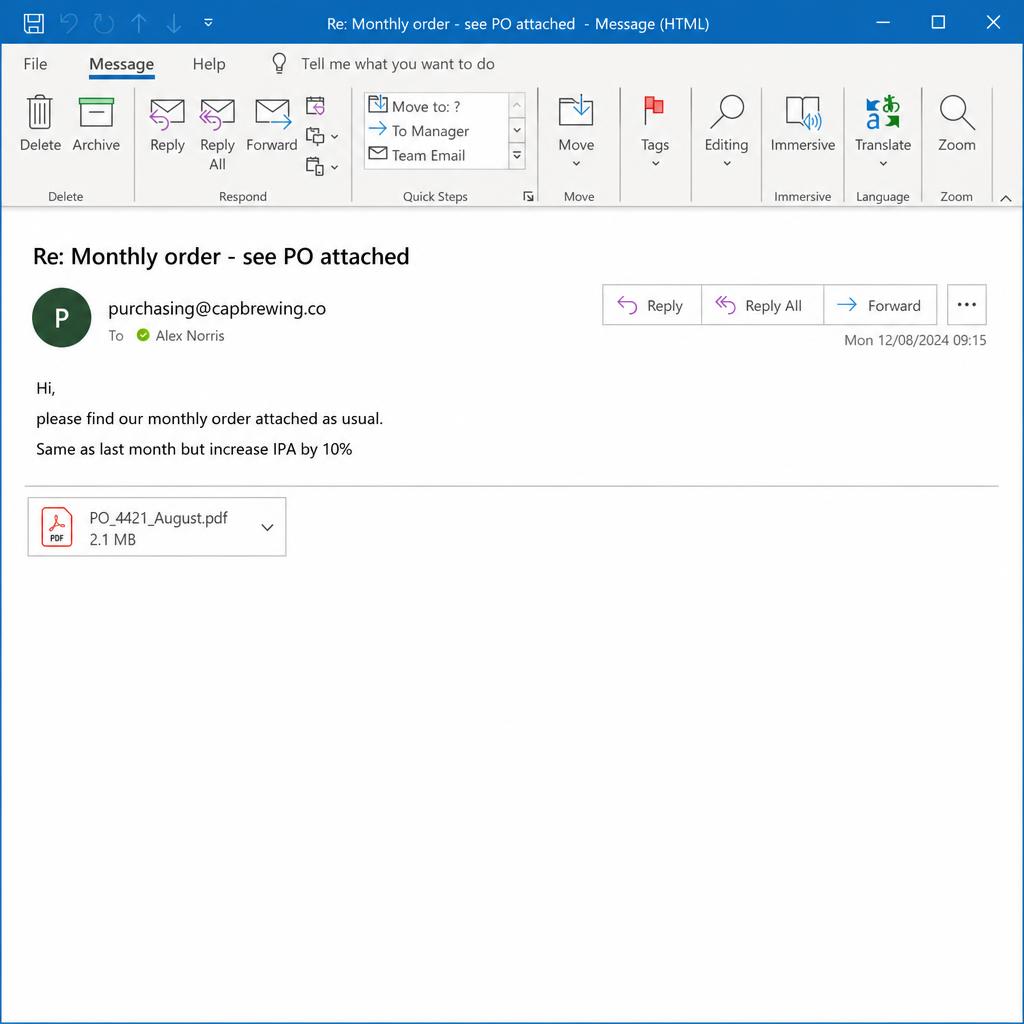
Purchase orders arrive through many channels. Email with PDF attachment is the most common for B2B wholesale. Some buyers send orders typed directly into an email body. EDI (Electronic Data Interchange) is used by larger retailers and grocery chains, where orders are transmitted as structured files between systems. WhatsApp and SMS are increasingly common, especially in emerging markets and for smaller repeat buyers. Phone and voicemail still exist, particularly for time-sensitive top-ups. Paper — physically faxed or mailed — survives in industries like foodservice. The challenge is that all of these channels produce orders in different formats, and the ERP expects them all in the same structured format.
Order Data
Every sales order contains several categories of data that must be captured accurately. Customer identification — the account in the ERP that this order belongs to. Delivery information — where the goods are going and by when. Line items — each product being ordered, identified by SKU or product code, with quantity and unit of measure. Pricing — the agreed price per unit, which may differ from the standard list price for this customer. Payment terms — net 30, cash on delivery, prepaid. Special instructions — hazmat handling, pallet configurations, labelling requirements. Missing or incorrect data in any of these fields creates downstream problems.
Order Validation
Before an order is confirmed and sent to fulfilment, it should be validated against the ERP's records. Is the customer account active and in good standing? Are the products in stock? Do the prices on the purchase order match the agreed pricing? Does the requested delivery date fall within what is achievable given current stock and lead times? Validation catches problems early, when they are cheap to fix, rather than late — when a truck has already been loaded with goods going to the wrong address at the wrong price.
ERP Entry
The actual act of creating the sales order record in the ERP requires selecting the correct customer, entering the ship-to address, adding each line item with the correct product code, quantity, and price, and setting the relevant dates and terms. In most ERPs, this involves navigating multiple screens or tabs. A single order with 15 line items might take 10–15 minutes to enter by hand, and that is before accounting for any lookups, corrections, or clarifications needed.
Order Confirmation
Once the order is in the system, the customer needs to know it was received and accepted. This is the order confirmation — a document or message that tells the buyer: we have your order, here is what we recorded, and here is when to expect delivery. Confirmations close the loop with the customer and give both parties a reference number tied to the ERP record. Delays in sending confirmations are a common source of customer frustration and double-ordering.
What Does Sales Order Entry Solve?
The problems that arise when sales order entry is slow, error-prone, or overwhelmed are not abstract. They show up in measurable ways across the business.
Order Accuracy
The most direct problem manual entry solves — and the most direct problem it creates — is accuracy. Transcription errors are inevitable at scale. A misread quantity (12 cases vs. 21 cases), a wrong SKU (similar product names in the catalogue), or an incorrect price (old price from a customer's saved template) all create downstream consequences: wrong products shipped, credit notes issued, carrier pickups wasted. A disciplined entry process with validation checks catches these errors before they reach the warehouse.
Fulfilment Speed
The sooner an order is in the ERP, the sooner the warehouse can pick, pack, and ship. Every hour an order sits in an inbox waiting to be keyed is an hour of fulfilment lead time wasted. For businesses promising next-day or two-day delivery, fast order entry is not a nice-to-have — it is a competitive requirement. Delays in entry directly translate into delayed shipments and missed delivery windows.
Inventory Visibility
When an order is in the ERP, inventory is allocated and committed. That allocation is visible across the system — the purchasing team can see what is committed, the warehouse knows what to reserve, and the sales team can see accurate available-to-promise quantities for new orders. When orders sit outside the ERP in someone's inbox, that inventory is effectively invisible. The warehouse might commit it to another order, creating a short-pick and a disappointed customer.
Customer Experience
Buyers place orders and then wait. What they are waiting for is a confirmation that the order was received, understood, and accepted. The longer that confirmation takes, the more anxious the buyer becomes — they start wondering whether the email arrived, whether the order is correct, whether they need to call. Fast, accurate order confirmation is one of the highest-leverage touches in the customer relationship, and it is entirely dependent on a smooth entry process.
Staff Retention
Order entry is one of the highest-turnover roles in operations. It is repetitive, detail-intensive, and provides little intrinsic satisfaction — the same data entry task, dozens of times per day, with the constant anxiety of knowing that a mistake will create problems downstream. Businesses that subject staff to high-volume manual order entry struggle to retain good people, and the cost of turnover — recruiting, onboarding, errors made by new staff — is significant.
Further reading
The Coordination Tax: The $1.6 Trillion Cost of Running Supply Chain on Human Hands
The CEO's thesis on why every manual handoff in your supply chain is a hidden tax — and why AI Agents are the only way to eliminate it.
Read the memoWhat Sales Order Entry Cannot Solve
A well-run order entry process eliminates many problems. But it does not solve everything, and setting realistic expectations matters.
Ambiguous or Incomplete Orders from Customers
If a customer sends a purchase order with a product description that does not match anything in the catalogue, or specifies a quantity of "a few pallets" without further detail, no entry process — manual or automated — can resolve that without going back to the buyer. Entry can flag the ambiguity immediately, but the resolution requires a human conversation. The better the buyer's ordering discipline, the smoother entry will be. Entry cannot compensate for buyers who do not know what they are ordering.
ERP Data Quality
Sales order entry can only be as accurate as the ERP data it draws from. If the product catalogue has duplicate SKUs, outdated descriptions, or missing pricing for certain customer segments, the entry process will surface those gaps constantly. Entry does not fix the ERP — it reveals what is broken. Businesses that invest in data hygiene see dramatically better outcomes from any entry improvement, manual or automated.
Pricing Disputes
A purchase order often arrives with a price from the buyer's system, which may or may not match the agreed price in the seller's ERP. When they do not match, the entry process can flag the discrepancy, but resolving it requires a decision: accept the customer's price, hold the order, or go back to the account manager. That decision involves commercial context — how important is this customer? Is this a pricing error on our side or theirs? No entry process can make that call.
Credit and Risk Decisions
Whether to process an order for a customer who is over their credit limit, past due on invoices, or flagged for credit review is a business decision, not a data entry task. Entry can flag the credit status and route the order for review, but approving or denying credit requires human judgment about risk, relationship, and commercial priority.
How Sales Order Entry Has Evolved
The practice of recording customer orders is as old as commerce. What has changed is how it is done, and the gap between the fastest and slowest methods has never been wider.
In the earliest days, orders were taken by hand — a travelling salesperson wrote up an order form in the field, and a back-office clerk transcribed it into a ledger. The salesperson's handwriting was the original OCR problem.
Fax changed the speed of order transmission but not the format. A buyer could send a purchase order instantly, but on the receiving end, someone still had to read the fax and type it into whatever system the business used. The bottleneck moved from transport to transcription.
EDI (Electronic Data Interchange) emerged in the 1970s and 1980s as a way for large trading partners to exchange structured order data system-to-system, without human transcription. EDI solved the problem for large enterprises with the resources to implement and maintain it. For the vast majority of mid-market wholesalers and distributors, EDI was out of reach — too expensive, too complex, and requiring the other party to be EDI-capable too.
Email transformed order receipt in the 1990s and 2000s. Buyers could now send purchase orders instantly, in any format they chose — and that flexibility created a new problem. Orders arrived as PDFs, Word documents, Excel spreadsheets, plain text, scanned images, and free-form emails. The variety of formats made systematic processing nearly impossible. The inbox became the bottleneck.
The current generation of AI-powered automation addresses the format problem directly. Instead of requiring a buyer to conform to a specific EDI format or portal, AI can read an order from any source — email, PDF, WhatsApp, voice — extract the relevant data, validate it against the ERP, and create the order record automatically. This extends the benefits of systematic order entry to businesses of any size, without requiring the buyer to change how they order.
Common Misconceptions About Sales Order Entry
Sales order entry sits at the intersection of customer service, operations, and finance, which means it is misunderstood from multiple directions. Here are the most persistent misconceptions.
"It is just data entry — anyone can do it."
Order entry requires product knowledge (understanding what items are, how they are coded, what common buyer descriptions map to in the catalogue), pricing knowledge (which customers are on which price tiers, what discounts apply), customer knowledge (special delivery requirements, account-specific terms), and judgment (when to flag something vs. when to proceed). Experienced order entry staff are significantly more accurate and faster than new staff — and significantly more valuable than the role is typically given credit for.
"Our ERP will catch all the errors."
An ERP will enforce some data integrity rules — it will not let you enter a non-existent SKU, for example. But it will not catch pricing errors if the wrong price is within a plausible range, will not catch quantity errors that are plausible, and will not catch the case where a legitimate product is entered for an order where a different product was intended. The ERP validates structure, not intent. Human review and systematic validation rules are both needed.
"EDI solves this problem."
EDI solves the problem for a specific subset of large, structured trading relationships where both parties have the technical infrastructure to support it. It does not help with the email PDF from a small retailer, the WhatsApp message from a field sales rep, the phoned-in order from a long-standing customer who has never used a portal, or the handwritten order from a trade show. Most wholesale and distribution businesses have a minority of orders on EDI and a majority on everything else.
"A customer portal is the answer."
Buyer portals — where customers log in to place orders directly — work well for customers who are willing to use them. The adoption problem is real: many buyers, especially in B2B contexts, prefer to order the way they have always ordered. Forcing them to a portal risks friction that drives them to a competitor. A portal is a good option for tech-comfortable buyers; it is not a solution for the buyers who will not adopt it.
How Sales Order Entry Connects to the Wider Business
Sales order entry is not a standalone activity. It is the front door to a chain of processes that spans the entire business.
Inventory management begins the moment an order is in the ERP. Products are allocated to the order, available quantities are updated, and purchasing may be triggered if stock falls below reorder points. An order sitting outside the ERP means inventory has been implicitly committed but is not reflected in the system — creating oversell risk for every other order that comes in.
Warehouse operations depend entirely on the pick list generated from ERP sales orders. Pickers cannot start work until the order is in the system, sequenced, and released to the floor. Every minute of delay in entry is a minute of delay in the warehouse's ability to start fulfilment.
Invoicing is downstream of order entry in most ERP workflows. The sales order becomes the basis for the invoice — so errors in the order (wrong price, wrong quantity, wrong product) flow directly into the invoice and must be corrected via credit notes, which are expensive and damage the customer relationship. Getting entry right is the cheapest point in the process to avoid billing errors.
Customer service and account management rely on ERP visibility to answer questions: has the order shipped? Is a product in stock? What is the expected delivery date? When an order is not in the ERP, those questions cannot be answered from the system — staff have to dig through inboxes, which is slow and error-prone.
Demand forecasting and purchasing use historical sales order data to predict future demand and trigger supplier orders. If orders are entered late, inaccurately, or incompletely, the data used for forecasting is corrupted. Systematic, timely order entry is the foundation of reliable demand data.
Where Logistify AI Comes In
We built the Logistify AI Sales Order Agent because we lived this problem. In our previous business managing warehousing and distribution for B2B e-commerce companies, we received orders via email, WhatsApp, phone, paper, and voicemail — and had to manually key every one of them into our inventory management system. We knew exactly what it cost in time, errors, and staff frustration.
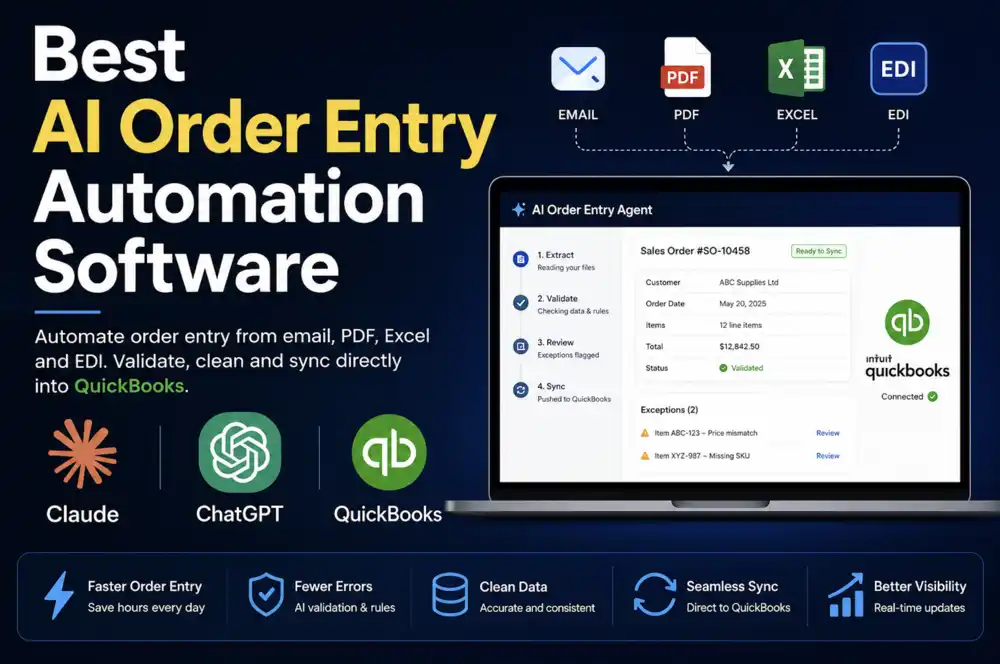
The Logistify AI Sales Order Agent reads purchase orders from any channel — email, PDF, WhatsApp, EDI — extracts the order data, validates it against your ERP, and creates the sales order automatically. It handles the high-volume routine cases so your team can focus on the exceptions that actually require human judgment. It integrates with ERPs including Unleashed, Brightpearl by Sage, TallyPrime, MYOB, QuickBooks, NetSuite, and others.
Sales order entry is one piece of a larger coordination problem that runs across the entire order-to-cash cycle. For the full context — why the gap between communication channels and systems of record has persisted for so long, and what it costs — read our CEO's memo on the Coordination Tax.
If your team is spending hours per day on manual order entry, or if your order confirmation turnaround is measured in hours rather than minutes, reach out at daniel@logistify.ai.
Frequently Asked Questions
Ready to automate your supply chain?
Join manufacturers and distributors automating their operations with Logistify AI.