Product·July 13, 2026·9 min read
Reconcile Your ERP with Finance and Operations: One Version of the Truth for Manufacturers and Distributors

Daniel Emaasit
CEO, Logistify AI
TLDR
The Intuit 2024 Business Solutions Survey found that businesses average 10 apps and spend 25 hours per week reconciling data manually. Finance reports one revenue figure from the accounting system. Sales reports a different figure from the CRM. Operations has a third inventory count from the warehouse system. The gap exists because each system defines the same business concepts differently: what the accounting system calls revenue may not match what the CRM records as closed deals. A reconciliation layer connects your existing systems, maps how each one defines customers, orders, revenue, and inventory, establishes which system is authoritative for each metric, and publishes one approved view that every team works from. Your ERP and finance system stay as the system of record. The reconciliation agent handles the coordination layer between them.
Finance Said $142,800. Sales Said $156,300. Both Were Right.
A manufacturer's finance director runs month-end close in QuickBooks. Revenue for June: $142,800. The VP of Sales pulls the same figure from the CRM: $156,300. Management asks which number is correct.
The answer, after two hours in Excel, is that both are partially right and neither is the one to put in the board pack.
QuickBooks revenue reflects invoiced amounts collected or due. The CRM records revenue at the point of order close, before returns, adjustments, or partial deliveries. Both systems are accurate by their own logic. They are answering different questions. Nobody set up a rule for which one is authoritative for management reporting. See also: Logistify AI.
This is the reconciliation problem. It is not a data quality problem. It is a definition problem, multiplied across every metric in the business.
Why Ten Systems Produce Ten Versions of the Business
The Intuit 2024 Business Solutions Survey found that businesses use an average of 10 apps. Most of those apps were added to solve a specific problem: a better CRM, a warehouse system, a sales channel integration, a spreadsheet that tracks something the ERP cannot. Each one works. The problem appears when you need a single number that spans all of them.
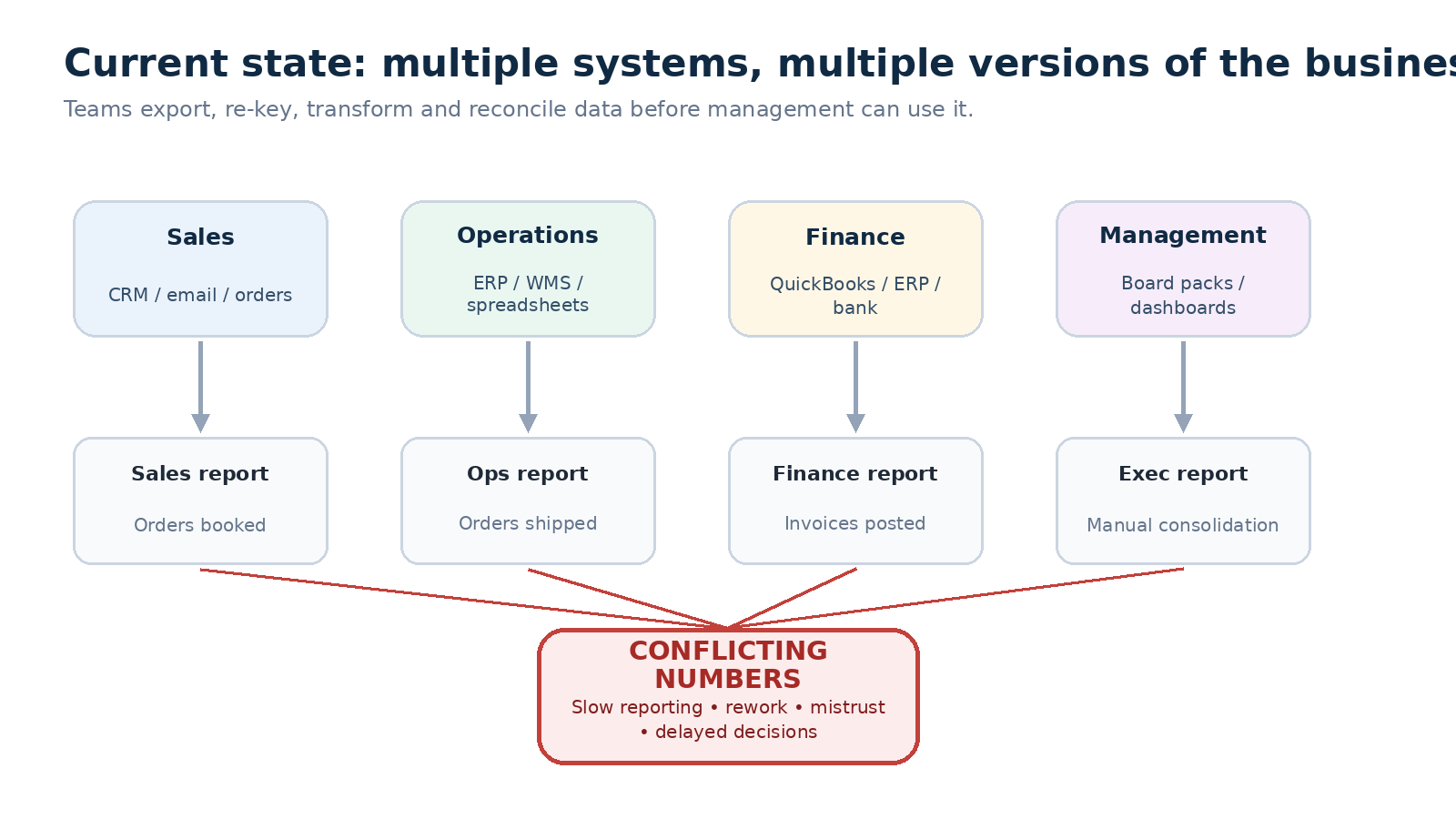
Every system defines its entities differently. A customer in QuickBooks is a billing account. A customer in the CRM may be a company with multiple contacts and multiple billing accounts. A customer in the warehouse system is a ship-to address. When you try to report revenue by customer, you are joining three different definitions of the same word.
The same applies to orders, inventory, and margin. An order in the ERP may be a confirmed sales order. The same transaction in the CRM is an opportunity at stage closed-won. The warehouse calls it an outbound shipment. Finance calls it an invoice. None of these are wrong. They represent the same transaction at different stages, tracked by different systems for different purposes.
| System | What it calls it | What it means |
|---|---|---|
| CRM | Closed deal | Revenue at point of order close, before adjustments |
| ERP | Sales order | Confirmed order, may include partial deliveries |
| QuickBooks | Invoice | Billed amount, after returns and credits applied |
| Warehouse (WMS) | Outbound shipment | Units physically dispatched from stock |
The Cost of Reconciling by Hand
The Intuit 2024 Business Solutions Survey found that businesses spend an average of 25 hours per week on manual data reconciliation. That figure is consistent with what operations teams at manufacturers and distributors describe: one person, or parts of several people's time, spent every week exporting from multiple systems, cleaning the data in Excel, and aligning it into a format management can use.
- 25 hours per week: average time spent on manual data reconciliation (Intuit 2024)
- 10 apps: average number of business applications in use (Intuit 2024)
- 95%: share of business owners who say app integration is essential for growth (Intuit 2024)
- $3,000 per month: estimated unused or misaligned software spend (Intuit 2024)
The practical effect on decisions is harder to measure than the labor cost. A weekly sales report that takes three days to produce is read by management after the week it describes is already closed. Inventory counts that differ between the ERP and the warehouse system lead to stock-outs when the authoritative number turns out to be lower than expected. Customer balances that differ between the CRM and QuickBooks mean sales chases accounts that finance has already put on hold.
What a Reconciliation Layer Does That a Standard Integration Does Not
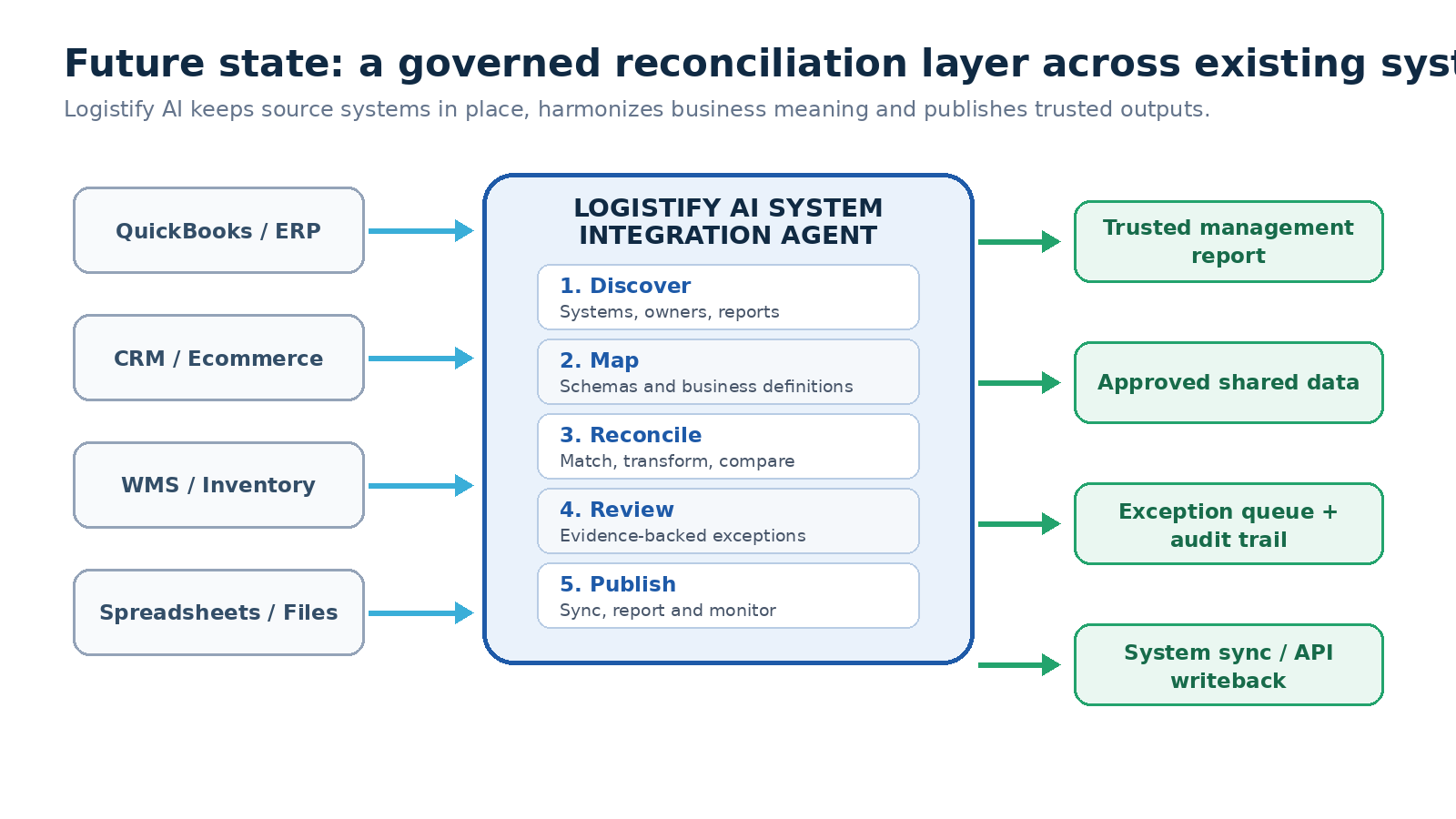
The standard response to conflicting numbers is integration: connect two systems so they share data in real time. Integration works when the two systems agree on definitions. It breaks when they do not.
If QuickBooks and the CRM define revenue differently, syncing them in real time does not resolve the disagreement. It makes both systems produce conflicting numbers faster.
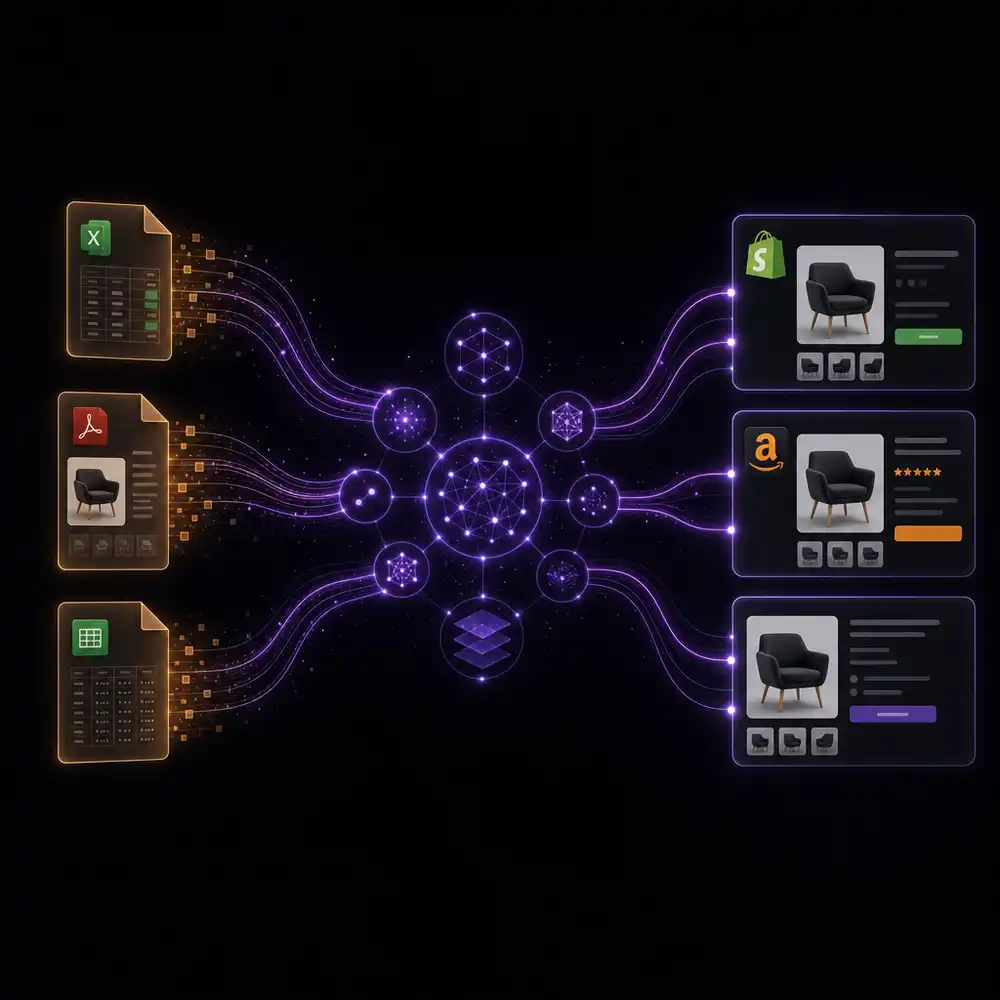
A reconciliation layer does something different. It connects the systems, maps how each one represents the same business concepts, identifies where the definitions conflict, establishes which system is authoritative for each metric and process stage, and publishes a single governed view with a clear audit trail back to the source data.
The systems themselves are not replaced or merged. QuickBooks stays as the system of record for finance. The CRM stays as the system of record for sales pipeline. The warehouse system stays as the system of record for physical inventory. What changes is the coordination layer between them: instead of someone manually exporting and reconciling each week, the reconciliation agent does it on schedule and routes any exception it cannot automatically resolve to a human reviewer.
Six Reconciliation Problems That Cost Manufacturers the Most
Further reading
The Coordination Tax: The $1.6 Trillion Cost of Running Supply Chain on Human Hands
The CEO's thesis on why every manual handoff in your supply chain is a hidden tax — and why AI Agents are the only way to eliminate it.
Read the memoBased on the operations of manufacturers and distributors who have described this problem to us, six reconciliation failures create the most operational cost:
Order-to-Revenue Reconciliation
Orders arrive through sales channels and get recorded in the CRM at close. They move to the ERP as sales orders, generate shipments, and convert to invoices in QuickBooks. Each step may produce a slightly different figure for how much you sold this period. Reconciling the order journey from close to invoice, across all systems, tells finance exactly what is booked, shipped, billed, cancelled, or still pending, instead of each team reporting from their own stage in the process.
Inventory Availability
The ERP holds on-hand inventory. The warehouse system tracks actual physical locations and counts. Open sales orders commit some of that stock. Purchase orders in transit will add to it. A spreadsheet the warehouse team maintains may adjust for quarantined or slow-moving stock. The available-to-sell figure exists across all four sources simultaneously. Reconciling them produces one number that sales, operations, and finance can all use when a customer asks if you can fulfill their order.
Revenue and Margin by Product and Customer
Revenue by product and customer requires combining invoice data from QuickBooks with cost data from the ERP and discount data from the CRM. Each system holds part of the picture. Reconciling them produces a margin figure at the product and customer level that the commercial team can use for pricing decisions and that finance can use for product profitability reporting, from the same underlying data.
Customer Balance Reconciliation
Finance tracks outstanding customer balances in QuickBooks: invoices raised, payments received, credits applied. The CRM tracks what sales has been told about account status: whether the account is active, whether there are open disputes. When these two views are not reconciled, sales chases accounts that finance has put on credit hold, or leaves accounts uncontacted because the CRM shows a balance that was settled weeks ago.
Management Reporting Pack
The management report pulls KPIs from every system in the business. Assembling it manually means someone exports from QuickBooks, the CRM, the ERP, and the warehouse system every week or month, applies the agreed definitions, and produces the pack. If any source system changes its data model, or someone changes a formula in the intermediate spreadsheet, the report produces wrong numbers until someone notices. Automating the collection, mapping, and validation of the agreed KPIs means the pack is available on schedule without manual assembly, and any definition drift is caught before it reaches the report.
Master-Data Synchronization
A customer created twice in QuickBooks and the CRM means revenue counted once in finance and twice in sales reporting. A product code that exists in the ERP under two item numbers means inventory reconciliation never quite balances. Detecting and managing duplicates and inconsistencies in customer, product, and location records across systems prevents the same entity from being counted twice or missed entirely in any report.
How the Reconciliation Agent Works
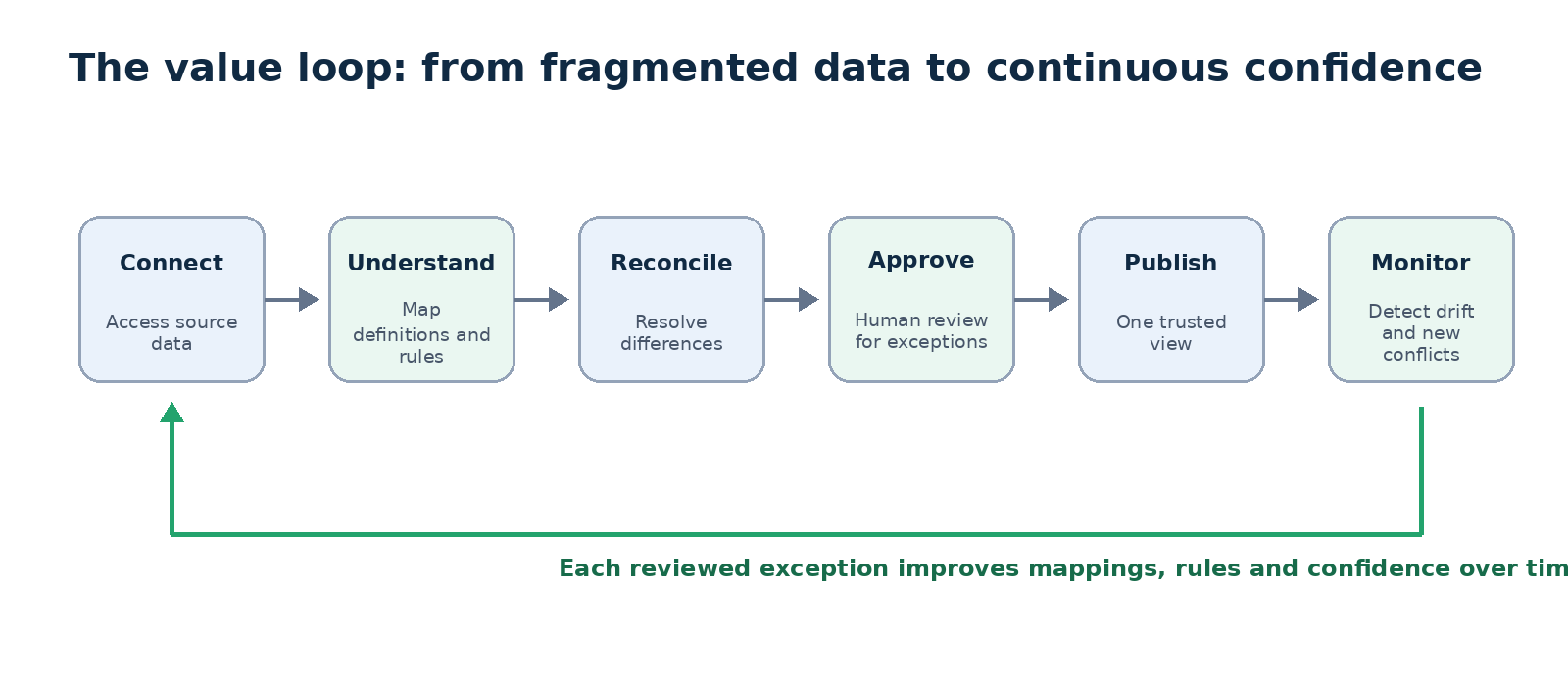
The reconciliation process runs in four steps.
Step 1: Connect and Discover
The agent inventories each connected system: what data it holds, what APIs or export formats it exposes, who owns it, and where the current manual reconciliation process applies transformations. This step maps the current state of the coordination layer, including the spreadsheets and manual steps that currently hold it together.
Step 2: Map Fields, Entities, and Business Definitions
Every field and entity is mapped across systems. A customer record in QuickBooks is matched to its equivalent in the CRM and the warehouse system. The agent identifies where the definitions conflict: where QuickBooks counts something as revenue that the CRM does not, or where the ERP uses a different unit of measure than the warehouse system. These definition conflicts are the source of the reconciliation problems described above.
Step 3: Reconcile Records and Route Exceptions
Conflicting records are matched and resolved using source-of-truth rules that you approve. The rules specify which system is authoritative for each metric: QuickBooks for invoiced revenue, the CRM for pipeline and order close date, the warehouse system for physical inventory. When a discrepancy falls outside the rules, the agent routes it to a human reviewer with the source evidence, the reason for the difference, and a recommended resolution. Approved resolutions become reusable rules that apply automatically in future cycles.
Step 4: Publish the Approved View and Monitor Continuously
Every team works from the same numbers, published on a schedule that matches the business cycle. Each figure retains an audit trail back to the source transaction and the rule that produced it. Ongoing monitoring catches connector drift (when a source system changes its data structure), schema changes, and definition drift before they corrupt the next report.
What Changes When Every Team Has the Same Numbers
The management report is available the morning after the period closes, not three days later. When a customer calls to ask why their account is on hold, finance and sales are looking at the same balance. When operations is asked whether they can fulfill an urgent order, the available inventory figure is the same one sales quoted to the customer. When the commercial team reviews margin by product, finance agrees with the numbers on the slide. See also: Logistify AI.
None of this requires replacing any of the systems currently in use. QuickBooks stays. The ERP stays. The CRM stays. The warehouse system stays. What changes is the layer between them: instead of a weekly manual export and a shared Excel file, there is a governed reconciliation process with clear source-of-truth rules and a full audit trail.
See the System Integration Agent
We walk through the reconciliation setup for a manufacturer or distributor using QuickBooks alongside an ERP and at least one other system.
Frequently Asked Questions
Ready to automate your supply chain?
Join manufacturers and distributors automating their operations with Logistify AI.