Sales Order Agent·Jun 10, 2026·8 min read
AI Sales Order Entry for QuickBooks Online: Text Messages and Price List Photos, Automated

Daniel Emaasit
CEO, Logistify AI
TLDR
AI order entry for QuickBooks Online reads customer orders from text messages, photos, and spreadsheets and enters them in QuickBooks Online, so a distributor's team stops typing each one. A wholesale distributor of fresh fruits and vegetables in Michigan had a 4-person team reading customer text messages and photographed Excel price lists, then entering every sales order into QuickBooks Online by hand. This post describes what that workflow looks like, why off-the-shelf automation does not handle it, and how Logistify AI's Sales Order Agent connects directly to QuickBooks Online to process text messages and price list photos into QBO orders automatically.
The Message That Started It
This came through our contact form:
"Looking for AI to be able to convert a text message to a sales order in quickbooks online."— Distribution Manager, Fresh Fruits & Vegetables Wholesaler, Michigan
Fourteen words. But those fourteen words described an entire operations problem — one we recognised immediately, because we had seen the workflow behind it before.
We scheduled a call. What came out of it was a detailed picture of a 4-person order entry team working through two channels every day: customer text messages and photographed Excel price lists. Every order, both channels, read and entered into QuickBooks Online by hand.
What the Workflow Actually Looks Like
The first channel is text messages. Customers are small restaurant operators, grocery stores, and food service accounts. They text in their orders. Those texts look like real conversations — not purchase orders:
- "50 cases Roma tomatoes, 30 cases iceberg, 20 strawberries please"
- "Same as last week but double the bananas"
- "Hi can I get the usual order? Add 10 cases peppers"
- "Need delivery Thursday, skip the bell peppers this week"
Each one has to be read, interpreted, cross-referenced against the current price list, and entered into QuickBooks Online as a sales order. "Same as last week" means pulling up the previous order for that customer. "The usual" means knowing what that customer normally buys. None of that is in the text. It is in the team's heads.
The second channel is more structured on the surface — but not much easier to process.
The team sends customers an Excel price list: items, units, and current prices. Customers fill in the quantities they want, take a photo of the completed sheet on their phone, and text or email it back. The team then looks at the photo, extracts the quantities row by row, maps each item to the correct record in QBO, and enters the order.
Fresh produce adds a pricing complication on top. The price list changes weekly, sometimes daily. Strawberries are priced differently in January than in June. Availability shifts. A customer might be working from a price list that is two weeks old. Whether the prices on the photo match today's QBO prices is something a human has to verify every time.
Why Standard Automation Does Not Handle This
Most order automation tools are built around structured inputs: a PDF purchase order with a header, part numbers, line items, and a ship-to address. That format is predictable enough for template parsing and pattern matching.
Wholesale fresh produce ordering does not work that way. The inputs are conversational and context-dependent:
- "Same as last week" requires memory of the previous order for that specific customer
- "Double the bananas" requires knowing how many bananas the last order contained
- A photo of a price list may be blurry, tilted, or partially cut off
- Customer names in texts rarely match the exact customer record name in QuickBooks Online
- Item descriptions use shorthand, nicknames, or colloquial produce names that do not match QBO item names
Rule-based automation breaks on all of these. You cannot write a script that handles "same as last week but skip the peppers." You need something that reads context, resolves ambiguity, and knows when to ask rather than assume.
Further reading
The Coordination Tax: The $1.6 Trillion Cost of Running Supply Chain on Human Hands
The CEO's thesis on why every manual handoff in your supply chain is a hidden tax — and why AI Agents are the only way to eliminate it.
Read the memoHow the Sales Order Agent Handles It
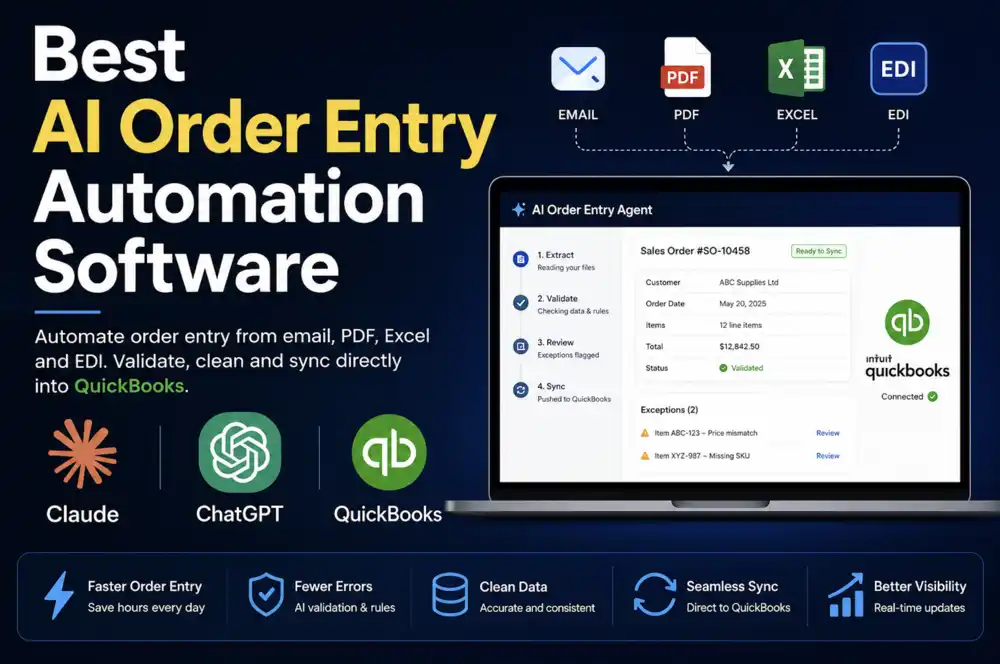
For each incoming text message or price list photo, the Logistify AI Sales Order Agent works through a consistent process:
- Reads the text message or image
- Identifies the customer by matching the sender — phone number, name, or conversational context — to the QBO customer record
- Resolves order references: "same as last week" pulls the previous sales order for that customer directly from QBO
- Maps item descriptions to QBO items, handling abbreviations, produce shorthand, and colloquial names
- Applies current pricing from QuickBooks Online, not the prices shown on the customer's photo
- Flags anything uncertain — illegible handwriting, unresolved item names, ambiguous customer matches — for human review before creating the order
- Creates the confirmed sales order in QuickBooks Online
The price list photo workflow runs through the document reading layer. The agent reads the image, extracts filled-in quantities line by line, and maps each to the corresponding QBO item. If a quantity is illegible or a row is unclear, that line is flagged rather than processed with a guess.
The team reviews exceptions. The clean orders — where the customer, items, and quantities all resolved without ambiguity — go straight into QBO without anyone touching them. That is where the labour savings land. The routine orders disappear from the queue. The team handles the ones that actually need judgment.
The QuickBooks Online Connection
QuickBooks Online exposes a standard REST API. Logistify connects via OAuth 2.0. When a sales order is confirmed, it goes into QBO with the correct customer record, line items, quantities, and current pricing. No local software to install. No manual export and import.
The order appears in QBO exactly as the team would have created it manually — because the underlying data came from the same source: the customer's message and the QBO item and customer records. The team can edit, approve, or convert to invoice through their normal workflow. The agent fills in the data entry before anyone opens QBO.
Who Else Runs This Workflow
Fresh produce distribution is one of the clearest examples of informal-channel ordering, but the same pattern runs across wholesale distribution wherever:
- Customers are small operators who text or call rather than send formal purchase orders
- The product catalog changes frequently — seasonal pricing, weekly availability updates
- A price list is the primary ordering mechanism, not a B2B portal or EDI connection
- Orders arrive by text message or WhatsApp rather than structured email attachments
Seafood wholesalers, specialty food importers, local grocery distributors, farm-to-restaurant suppliers — the order intake problem looks similar across all of them. A small team. A changing price list. Customers who order the way that is convenient for them, not the way that is convenient for the accounting system.
What the Demo Showed
We prepared the demo using order patterns from this distributor's actual operation: text messages in the format their customers send, and a mock-up of their Excel price list with filled-in quantities. The agent read each input, resolved the customer and items against a QBO test environment, flagged the ambiguous ones, and created sales orders for the clean ones. The team's role in the demo was to review the flagged items and confirm the queue — not to enter data.
For a 4-person team processing orders across two informal channels daily, the practical effect is that most of the manual data entry disappears. Order volume scales without adding headcount. The error rate tied to misreading handwritten quantities or abbreviating item names drops.
The Value
For a wholesale produce distributor running on QuickBooks Online with a small order entry team, the value shows up in three places:
- Labour hours reclaimed — the team stops reading every text message and price list photo individually. Routine orders process without anyone touching them. Time shifts to exceptions, customer calls, and work that actually requires judgment.
- Fewer entry errors — misread handwriting, wrong SKU aliases, and outdated prices on customer photos are caught at the source rather than discovered after the invoice goes out.
- Order capacity without headcount — the same 4-person team can handle meaningfully more order volume during peak season without hiring or overtime. The bottleneck moves from data entry to fulfilment.
Fresh produce distribution runs on tight margins and fast turnaround. An order that takes 8 minutes to enter manually during a busy morning is an 8-minute delay on a pick list that needs to go to the warehouse. When the agent handles the clean orders automatically, that delay compresses to seconds.
How to Get Started
If you run QuickBooks Online and recognise the workflows described above — text message orders, photographed price lists, or any other informal order channel — email daniel@logistify.ai or call +1 302 279 5510 with a short description of how your customers send orders. I will review your setup and show you exactly how the Sales Order Agent connects to your QuickBooks Online account.
Frequently Asked Questions
Your customers order the way that works for them. Your team shouldn't have to pay for it.
Book a 30-minute call and we will show you how the Sales Order Agent handles your specific order channels — text messages, price list photos, email, or any combination — connected directly to QuickBooks Online.