Industry Research·May 10, 2026·33 min read
The Definitive Guide to Accounting Software in the USA (2026)

Daniel Emaasit
CEO, Logistify AI
TLDR
The best accounting software depends on company size and what you sell: QuickBooks Online or Xero for most small businesses, Sage Intacct, NetSuite or Business Central for mid-market companies, and inventory-capable systems for product businesses. Many manufacturers and distributors stay on QuickBooks Desktop Enterprise. Choosing accounting software is one of the most consequential operational decisions a small or mid-market business makes — yet most buyers pick a platform based on name recognition alone. This guide profiles all 10 major accounting platforms used in the USA, compares them by tier, pricing, and ideal customer profile, and gives you a concrete framework for choosing the right one for your business size, industry, and technology ecosystem. It also covers the one coordination gap that even the best accounting software cannot close on its own.
Why This Comparison Matters in 2026
Accounting software is not a commodity. The platform you choose determines how you recognize revenue, track expenses, manage cash flow, file taxes, pay employees, invoice customers, and follow up on overdue receivables. A wrong fit costs real money — not just in migration fees and lost time when you eventually switch, but in the daily friction of using a tool that was not designed for your business model.
The US accounting software market was valued at approximately $19.6 billion in 2024 and is growing at 8.5% CAGR, driven by the shift from desktop to cloud, the rise of embedded AI features, and increasing regulatory complexity for multi-state and multi-entity businesses. Intuit — the company behind both QuickBooks Online and QuickBooks Desktop — holds an estimated 80% share of the US small business accounting market. That dominance creates a powerful default: most small businesses start with QuickBooks simply because everyone around them uses QuickBooks. That is not always the wrong answer, but it often leads to a mismatch as businesses grow.
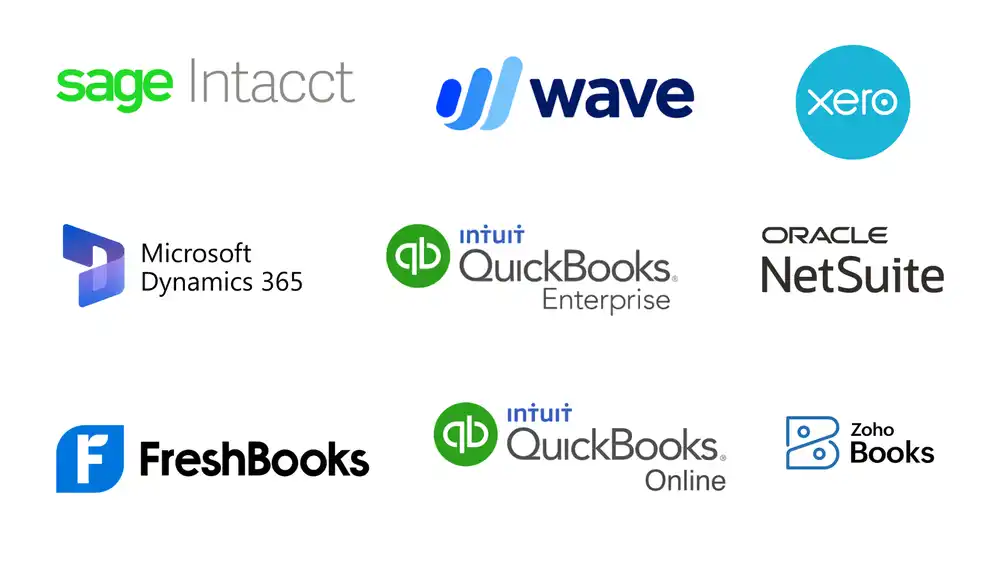
In 2026 the accounting software market splits more cleanly than it used to. Cloud-native challengers like Xero, Zoho Books, and FreshBooks have matured into genuine alternatives. Mid-market platforms like Sage Intacct and Oracle NetSuite have expanded their accounting depth. Microsoft's Dynamics 365 Business Central has become a credible accounting option for mid-market companies already in the Microsoft ecosystem. And every major vendor has embedded AI capabilities, from automated bank reconciliation to AI-powered expense categorization, which narrows the feature gap at the entry level while real differentiation persists at the mid-market end.
What has not changed is a fundamental limitation: accounting software is a system of record. It captures what has already happened. The daily work of turning unstructured customer communications into invoices, following up on overdue receivables, matching lump-sum payments to open invoices, and reconciling vendor statements still happens between the accounting platform and the real world — in email inboxes, spreadsheets, phone calls, and manual bank reconciliation queues. This guide covers both the accounting software landscape and the gap that sits beyond it.
The Accounting Software Landscape in 2026
Intuit's dominance in the US small business accounting market is so pronounced that the conversation often begins and ends with QuickBooks. This is understandable — QuickBooks Online is the most widely used accounting software in the USA by a very large margin — but it creates blind spots. For businesses that have outgrown QuickBooks Online's limitations, or whose needs were never a good fit for it in the first place, there are strong alternatives that are systematically underexplored.
The cloud transition is the defining structural shift of the past decade. QuickBooks Desktop — once the default for small businesses — is being actively wound down by Intuit, which stopped selling new Pro Plus, Premier Plus and Mac Plus subscriptions in the US after September 30, 2024 and is steering its installed base toward QuickBooks Online. Desktop Enterprise is still sold. This transition is controversial: Desktop has deeper inventory management features and better performance for high-transaction-volume businesses, and many long-time Desktop users are reluctant to switch. But the direction is clear.
For mid-market companies, the landscape has evolved meaningfully. Sage Intacct — the AICPA's preferred financial management solution — has established itself as the clear leader for multi-entity, nonprofit, and professional services organizations that have outgrown QuickBooks Online. Oracle NetSuite's accounting module serves as a full ERP solution for fast-growing mid-market businesses. Microsoft Dynamics 365 Business Central is increasingly being selected as the accounting layer for companies already embedded in the Microsoft ecosystem. These are not small-business tools wearing enterprise clothing — they are genuinely different products designed for genuinely different operational complexity.
How to Use This Comparison
This guide organizes accounting platforms into three tiers based on the revenue size and operational complexity of the businesses they are designed to serve. Understanding which tier applies to your business is the first and most important filter.
- Tier 1 — Micro Business and Freelancers (revenue <$1M): Platforms optimized for solo operators, freelancers, and micro-businesses who need professional invoicing, basic expense tracking, and simple tax preparation. Wave Accounting (free), FreshBooks (invoicing-first), and Zoho Books (SMB ecosystem) are the defining options at this tier.
- Tier 2 — Small Business ($1M–$10M): The largest segment of the market. QuickBooks Online dominates here — but Xero is a strong challenger, especially among accountants, and QuickBooks Desktop remains relevant for businesses with high-volume inventory operations. FreshBooks and Zoho Books serve the lower end. Bench offers a bookkeeping-as-a-service model for business owners who want to outsource the accounting entirely.
- Tier 3 — Mid-Market ($10M–$500M+): Platforms designed for businesses with multi-entity structures, complex revenue recognition, advanced inventory, project accounting, or multi-currency operations. Sage Intacct, Oracle NetSuite, and Microsoft Dynamics 365 Business Central are the primary options. QuickBooks Online Advanced and Xero can serve the lower end of this tier ($10M–$30M), but businesses with genuine complexity will outgrow them.
The Master Comparison Table
The following overview covers all 10 platforms across the key evaluation dimensions. Pricing shown is directional — actual costs depend on plan tier, add-ons selected, and whether you work through an accountant or partner.
- QuickBooks Online | Small Business | $35–$235/mo (Simple Start to Advanced) | Cloud-only | Ideal for: $500K–$10M businesses; self-managed bookkeeping; broad accountant ecosystem; e-commerce and retail
- QuickBooks Desktop | Small Business (legacy) | From $2,210/yr (Enterprise Gold, 1 user; Pro Plus and Premier Plus not sold to new US subscribers) | On-premise | Ideal for: Businesses with complex inventory or job costing who have not yet migrated to cloud; legacy installations
- Xero | Small Business to Lower Mid-Market | $20–$80/mo (Starter to Ultimate) | Cloud-only | Ideal for: $500K–$25M businesses; accountant-driven onboarding; strong bank reconciliation; multi-currency at lower price point
- Sage Intacct | Mid-Market | $15,000–$100,000+/yr (custom) | Cloud-only | Ideal for: $10M–$500M multi-entity businesses; nonprofits; healthcare; professional services; AICPA-endorsed platform
- Oracle NetSuite (Financials) | Mid-Market | $129/user/mo + base license; $100K–$300K+ Year 1 | Cloud-only | Ideal for: $5M–$300M fast-growing businesses; multi-subsidiary; e-commerce + distribution
- FreshBooks | Micro to Small Business | $19–$55/mo (Lite to Premium) | Cloud-only | Ideal for: Freelancers, consultants, and service businesses billing by project or hourly rate; up to $1M revenue
- Wave Accounting | Micro Business | Free (invoicing + accounting); paid payroll/payments | Cloud-only | Ideal for: Solopreneurs, freelancers, and businesses under $500K; no-cost entry to professional accounting
- Zoho Books | Micro to Small Business | Free–$275/mo (Free to Ultimate) | Cloud-only | Ideal for: SMBs already in the Zoho ecosystem; international businesses needing multi-currency at low cost
- Microsoft Dynamics 365 Business Central | Mid-Market | ~$70–$100/user/mo (Essentials/Premium) | Cloud, Hybrid, On-Premise | Ideal for: $5M–$300M businesses in the Microsoft ecosystem; light manufacturing and distribution
- Bench | Small Business | $299–$499+/mo | Cloud (managed service) | Ideal for: Business owners who want to fully outsource bookkeeping; annual revenue up to ~$5M
Tier 1 — Micro Business and Freelancer Accounting
Micro-business and freelancer accounting platforms prioritize ease of use, fast invoicing, and affordability over depth of features. For a solo operator or a service business with fewer than ten clients and no inventory, the financial reporting requirements are simple. The platforms in this tier handle that job well without the overhead of a full accounting system.
Wave Accounting
Wave Accounting is the only major accounting platform in this guide with a genuinely free tier for core accounting and invoicing. For solopreneurs, freelancers, and micro-businesses under $500,000 in annual revenue, Wave provides double-entry accounting, income and expense tracking, bank connections, professional invoicing, and basic financial reporting at zero cost. That is not a freemium trial — Wave's accounting software is permanently free, monetized instead through transaction fees on payment processing and monthly fees for payroll.
Wave was acquired by H&R Block in 2019, which gave it financial stability and integration with H&R Block's tax services. The platform has remained free for core features since the acquisition. The trade-offs are predictable: Wave lacks inventory management, time tracking, and project profitability reporting. Customer support is limited to email and a knowledge base — there is no phone support on the free plan. As a business grows beyond the micro tier, Wave's limitations become binding: no payroll integration outside the US and Canada, limited customization, and no path to multi-entity accounting.
- Best for: Solopreneurs, freelancers, consultants, and micro-businesses under $500K annual revenue who need professional invoicing and basic bookkeeping at no cost
- Pros: Permanently free for core accounting and invoicing; double-entry accounting; professional invoice templates; bank connections; simple and clean interface
- Cons: No inventory management; no time tracking; no project profitability; limited support on free plan; not designed for businesses above $1M in complexity
- Pricing: Free (accounting + invoicing); $20/mo (Payments); $20–$40/mo (Payroll, US only)
FreshBooks
FreshBooks was built from the ground up for service businesses that bill by project or by the hour — freelancers, consultants, agencies, contractors, and professional services firms. Its invoicing experience is the best in this tier: customizable invoice templates, automatic payment reminders, recurring invoices, client retainers, and integrated online payments. Time tracking is built directly into the platform, not bolted on as an afterthought. For a business where most revenue flows through client invoices and most expenses are professional services-related, FreshBooks is the most natural fit.
FreshBooks added double-entry accounting in 2019, which addressed its most significant limitation and brought it into compliance with what accountants expect. The platform supports bank reconciliation, profit and loss reporting, and basic cash flow management. However, it is not designed for businesses with significant inventory, complex payroll, or more than a handful of employees. For product-based businesses, QuickBooks Online or Xero are better choices. For service-based freelancers and small agencies, FreshBooks is often the clearest answer.
- Best for: Freelancers, consultants, agencies, contractors, and solo professional service providers billing by project or hourly rate; businesses up to $1M–$2M revenue
- Pros: Best-in-class invoicing experience; built-in time tracking; automatic payment reminders; recurring invoices; retainer management; excellent mobile app
- Cons: Not designed for product-based businesses; limited inventory management; payroll requires third-party integration; higher per-client costs on lower-tier plans
- Pricing: $19/mo (Lite, 5 clients); $33/mo (Plus, 50 clients); $55/mo (Premium, unlimited clients); $15/user/mo add-on for team members
Zoho Books
Zoho Books is the accounting module within the broader Zoho ecosystem — a suite of 50+ business applications that includes Zoho CRM, Zoho Inventory, Zoho Projects, Zoho HR, and Zoho Analytics. For businesses already using or planning to use other Zoho products, Books offers deeper integration than any standalone accounting tool can provide: a customer record in Zoho CRM flows directly into Zoho Books; an inventory item in Zoho Inventory syncs with Books; a project in Zoho Projects generates invoices in Books. That ecosystem coherence is Zoho Books' strongest selling point.
Beyond the ecosystem advantage, Zoho Books is a genuinely capable accounting platform at a competitive price point. It includes double-entry accounting, bank reconciliation, multi-currency support (on paid plans), client portal, automated payment reminders, GST/VAT compliance for international businesses, and project time tracking. The free plan supports one user and up to $50,000 in annual revenue — a genuine entry point for micro-businesses. For international SMBs — particularly those with operations or customers outside the US — Zoho Books' multi-currency and tax compliance features at its price point are a meaningful advantage over comparably priced US-centric alternatives.
- Best for: SMBs already in the Zoho ecosystem; international businesses needing multi-currency and VAT/GST compliance at a competitive price; businesses up to $5M revenue
- Pros: Deep Zoho ecosystem integration; multi-currency on paid plans; client portal; auto-payment reminders; strong international compliance; competitive pricing
- Cons: Best value realized only if using other Zoho products; UI can feel complex for non-accountants; support quality varies; fewer US accountants are familiar with it vs. QuickBooks or Xero
- Pricing: Free (1 user, under $50K/yr revenue); $20/mo (Standard); $50/mo (Professional); $70/mo (Premium); $150/mo (Elite); $275/mo (Ultimate)
Tier 2 — Small Business Accounting
The small business tier is where the real market competition happens. QuickBooks Online dominates by market share, but Xero has emerged as a genuine alternative — preferred by many accountants and particularly strong for businesses with international operations or complex bank reconciliation needs. QuickBooks Desktop remains relevant for businesses with inventory-heavy operations who have not yet completed their migration to cloud. Bench occupies a unique position as a managed bookkeeping service rather than a DIY tool.
QuickBooks Online
QuickBooks Online is the most widely used accounting software in the USA, with an estimated 7+ million subscribers globally and approximately 80% share of the US small business accounting market. Its dominance is self-reinforcing: most US accountants, bookkeepers, and CPAs know QuickBooks Online deeply, and the availability of experienced QuickBooks support is itself a feature. For a small business owner who does not want to do the books alone, finding a QuickBooks-proficient bookkeeper is far easier than finding an Xero or Zoho Books specialist.
QuickBooks Online's feature set has expanded substantially since its early cloud incarnation. The current tier structure — Simple Start, Essentials, Plus, and Advanced — covers invoicing, expense tracking, bank reconciliation, payroll (via QuickBooks Payroll add-on), inventory management (on Plus and above), project profitability tracking, class and location tracking, and a growing set of AI-powered features including automated expense categorization, cash flow forecasting, and anomaly detection. The Advanced plan adds custom reporting, batch invoicing, workflow automation, and dedicated account support. Integration with third-party tools — from Shopify and Square to HubSpot and Salesforce — is broad.
The trade-offs are real and frequently discussed. QuickBooks Online's inventory management, while functional, is less capable than Xero's or QuickBooks Desktop's for businesses with large SKU counts, assembly workflows, or multi-location inventory. Pricing has increased substantially in recent years — the Plus plan has nearly doubled in price since 2020 — and Intuit's product bundling model can make total costs significantly higher than the base plan price suggests. Customer support quality on lower-tier plans is frequently criticized. And the platform has historically been better designed for accountants than for the business owners using it daily.
- Best for: $500K–$10M businesses; retail, e-commerce, and light service businesses; businesses that want the broadest accountant ecosystem and integration coverage; first-time bookkeeping software buyers
- Pros: Largest US accountant ecosystem; extensive third-party integrations; solid inventory on Plus and above; AI-powered categorization and cash flow forecasting; strong payroll integration
- Cons: Pricing has increased significantly; inventory less capable than Desktop or Xero for complex operations; customer support criticized on lower plans; per-user costs add up for growing teams
- Pricing: $35/mo (Simple Start, 1 user); $65/mo (Essentials, 3 users); $99/mo (Plus, 5 users); $235/mo (Advanced, 25 users); payroll and payments billed separately
QuickBooks Desktop
QuickBooks Desktop — specifically QuickBooks Desktop Enterprise — is in a unique and complicated position in 2026. After September 30, 2024, Intuit stopped selling new Pro Plus, Premier Plus and Mac Plus subscriptions in the US, and it is actively steering its customer base toward QuickBooks Online. Desktop Enterprise remains available, but it is a product in managed decline: Intuit is not investing in new features at the same pace as Online, and the long-term migration path is clearly toward the cloud.
Despite this strategic direction, QuickBooks Desktop Enterprise retains meaningful advantages for specific business types. Its Advanced Inventory module — covering bin location tracking, FIFO costing, barcode scanning, lot and serial number tracking, and multi-location inventory — is substantially more capable than QuickBooks Online's inventory features. Job costing and project profitability tracking in Desktop is more granular and more customizable. For businesses with very high transaction volumes, Desktop performs better than a browser-based application. For manufacturers and distributors who run complex inventory operations and have been on Desktop for years, the disruption cost of migrating to Online or another cloud platform is not trivial.
The honest assessment: if you are evaluating accounting software for a new deployment, QuickBooks Desktop should not be your first choice. Intuit's investment, support, and feature velocity are flowing to the cloud. If you are an existing Desktop user with complex inventory needs and a functioning workflow, the case for immediate migration is weaker — but you should have a three-to-five-year plan for cloud transition.
- Best for: Existing Desktop users with complex inventory management, job costing, or high-volume transaction needs who are not yet ready to migrate; businesses in industries with poor or unreliable internet connectivity
- Pros: Superior inventory management (multi-location, lot/serial, FIFO); strong job costing; high transaction volume performance
- Cons: Pro Plus and Premier Plus no longer sold to new US subscribers; platform in managed decline; no mobile-first experience; on-premise data storage; integration ecosystem narrower than QuickBooks Online
- Pricing: Enterprise Gold from $2,210/yr, Platinum from $2,717/yr and Diamond from $447/month, each for one user, when we checked on October 19, 2026; prices rise with user count. Pro Plus and Premier Plus are no longer sold to new US subscribers.
If you already run QuickBooks Desktop, our guides answer the questions this section raises: is there a QuickBooks Desktop 2025 or 2026, what happens when a QuickBooks Desktop subscription ends, how to upgrade from Pro or Premier to Enterprise and how to move a QuickBooks Desktop company file to QuickBooks Online. For current Enterprise prices by level and user count, see our QuickBooks Desktop Enterprise pricing comparison.
Further reading
The Coordination Tax: The $1.6 Trillion Cost of Running Supply Chain on Human Hands
The CEO's thesis on why every manual handoff in your supply chain is a hidden tax — and why AI Agents are the only way to eliminate it.
Read the memoFor the Advanced Inventory features above, see how to track inventory by lot or serial number, set up barcode scanning and use bin locations, and our comparison of average cost vs FIFO in QuickBooks Desktop.
Xero
Xero is the most credible challenger to QuickBooks Online in the US small business market and the clear leader in several international markets, including Australia, New Zealand, and the UK. Founded in New Zealand in 2006, Xero has built a reputation — particularly among accountants and bookkeepers — for bank reconciliation that is genuinely superior to QuickBooks Online's, a cleaner and more intuitive user interface, and inventory management (via Xero's native inventory or the Xero-native Inventory Plus add-on) that better suits product-based businesses.
Xero's multi-currency support is available on the Growing plan and above — a meaningful advantage over QuickBooks Online, which restricts multi-currency to the Plus plan and above. For US businesses with international customers or suppliers, this makes Xero competitively priced for currency-intensive workflows. Xero also has a strong accountant partner program — the Xero Advisor community — and many high-quality accounting firms prefer Xero for their client portfolios over QuickBooks Online, particularly in the professional services and creative services sectors.
The trade-offs: Xero's US market share is smaller than QuickBooks Online's, which means that finding a Xero-proficient local bookkeeper or CPA in smaller US markets can be harder. Xero does not natively offer payroll in the US — it integrates with Gusto, a strong third-party payroll provider, but this adds cost and an additional vendor relationship. The highest plan (Ultimate) is priced comparably to QuickBooks Advanced but serves fewer users. And for businesses above $25 million in revenue with genuinely complex multi-entity requirements, Xero — like QuickBooks Online — will be outgrown.
- Best for: $500K–$25M businesses; accountant-led onboarding; product-based businesses needing stronger inventory than QuickBooks Online provides; businesses with international customers or suppliers needing multi-currency
- Pros: Superior bank reconciliation; cleaner UX than QuickBooks Online; multi-currency on Growing plan and above; strong accountant partner program; better inventory for product-based SMBs
- Cons: Smaller US accountant ecosystem than QuickBooks; no native US payroll (Gusto integration required); finding local Xero-proficient support harder in smaller US markets
- Pricing: $20/mo (Starter, 20 invoices + 5 bills); $47/mo (Growing, unlimited); $80/mo (Established, multi-currency + projects); $33/mo (Payroll via Gusto, additional)
Bench
Bench occupies a unique position in this landscape: it is not a self-service accounting software, but a bookkeeping-as-a-service business that delivers monthly financial statements to its clients using a combination of proprietary software and human bookkeepers. When you sign up for Bench, you connect your bank accounts and credit cards, and Bench's team categorizes and reconciles your transactions each month, delivering a profit and loss statement and a balance sheet in a clean client dashboard. You do not do the bookkeeping — Bench does it for you.
This model is genuinely appealing for a specific type of business owner: one who understands they need accurate books but has no interest in learning accounting software, cannot afford a part-time CFO, and does not want to manage a bookkeeper relationship directly. Bench works best for service businesses, e-commerce sellers, and professional practices with annual revenues up to approximately $5 million. Above that level, the complexity of the books — multiple entities, inventory, cost of goods sold, job costing — typically exceeds what Bench's model handles well.
The trade-offs are structural. Because Bench uses proprietary software, your historical data cannot be exported in a format that flows directly into QuickBooks Online or Xero if you leave. Bench added tax filing as an add-on service, which addresses one of its historical gaps. But for businesses that want to manage their own books, run real-time reports, or have a CFO who needs live financial data, Bench is not the right answer — a self-service platform is.
- Best for: Business owners who want fully managed bookkeeping without hiring a bookkeeper; service businesses, e-commerce sellers, and professional practices up to ~$5M annual revenue who value hands-off financial management
- Pros: No bookkeeping work required from the owner; clean financial dashboard; dedicated bookkeeper team; tax preparation available as add-on; catch-up bookkeeping for past years
- Cons: Proprietary software makes data portability limited on exit; not suited for businesses above $5M in complexity; no real-time accounting visibility between monthly reconciliations; payroll and bill pay not included
- Pricing: $299/mo (Essential, monthly bookkeeping + P&L + balance sheet); $499/mo (Premium, same-day support + AR/AP visibility); tax services billed separately
Tier 3 — Mid-Market Accounting
The mid-market tier is where accounting software becomes genuinely complex — and where the wrong choice is most expensive. Businesses in the $10 million to $500 million range typically have requirements that go beyond what QuickBooks Online or Xero were designed to serve: multiple legal entities, sophisticated revenue recognition, project accounting, multi-currency consolidations, external audit requirements, or complex approval workflows. The platforms in this tier were designed for exactly that complexity.
Sage Intacct
Sage Intacct is the AICPA's preferred financial management solution — the only accounting platform to hold that designation — and consistently ranked as a leader in mid-market cloud financial management by Gartner and G2. It is the go-to platform for mid-market businesses with multi-entity structures: nonprofits managing multiple programs and funding sources, healthcare organizations with multiple locations and revenue streams, professional services firms tracking profitability by client and engagement, and SaaS companies with subscription revenue recognition requirements.
Sage Intacct's dimensional accounting model is its defining technical advantage. Rather than forcing businesses into a rigid chart of accounts, Intacct allows companies to tag transactions across multiple dimensions — department, location, project, customer, entity — and slice financial reports along any dimension combination at will. For a nonprofit tracking program expenses against grants, a healthcare organization reporting by location and service line, or a professional services firm analyzing profitability by client, this dimensional model produces financial insight that a traditional chart-of-accounts approach cannot match.
Multi-entity consolidation — closing and consolidating financials across multiple legal entities, each with its own chart of accounts and currency — is an area where Sage Intacct is particularly strong. Businesses with three or more legal entities that are struggling with manual Excel-based consolidations routinely find that Intacct pays for itself through the time saved on financial close alone. The platform integrates with Salesforce deeply (Sage acquired the Salesforce integration specialist Salesforce Billing), which is an advantage for professional services and SaaS companies managing revenue from CRM through to financial statements.
- Best for: $10M–$500M multi-entity businesses; nonprofits; healthcare organizations; professional services firms; SaaS companies with complex revenue recognition; businesses that have outgrown QuickBooks Online and need genuine multi-entity capability
- Pros: AICPA-preferred platform; industry-leading dimensional accounting; best-in-class multi-entity consolidation; strong nonprofit and healthcare modules; deep Salesforce integration; Gartner Magic Quadrant Leader
- Cons: Higher price point (custom, typically $15,000–$100,000+/year); implementation requires an Intacct partner; overkill for single-entity businesses below $10M; not designed for manufacturing or distribution inventory management
- Pricing: Custom (typically $15,000–$100,000+/year depending on modules, users, and entities); no published list price; priced through authorized partners
Oracle NetSuite (Financials)
Oracle NetSuite's Financials module is not a standalone accounting tool — it is the financial management layer of a full cloud ERP platform. For businesses that are purchasing NetSuite, the accounting functionality is included in the platform and is genuinely enterprise-grade: multi-entity management, multi-currency, revenue recognition (ASC 606 compliant), fixed asset management, advanced budgeting and planning, and a powerful financial reporting engine. For companies that need ERP-level operational functionality alongside accounting — inventory, order management, procurement, manufacturing, or CRM — NetSuite offers a unified platform that eliminates the integration overhead of connecting separate accounting and operational systems.
The accounting capability in NetSuite is strong by any measure. Financial close management, automated intercompany eliminations, real-time consolidated financial statements across subsidiaries, and ASC 606 revenue recognition are all native. The OneWorld module — NetSuite's multi-entity offering — is one of the most sophisticated multi-currency, multi-entity accounting environments in the mid-market. For fast-growing businesses anticipating international expansion, multi-subsidiary operations, or direct-to-consumer channels alongside B2B, NetSuite's architecture handles that complexity from day one.
The trade-off is that NetSuite is priced as an ERP, not as an accounting tool. If your primary need is accounting and financial reporting with no operational complexity, Sage Intacct will serve that need at a comparable or lower price with more accounting-specific depth. NetSuite is the right choice when you need both the accounting layer and the operational layer in a single integrated platform — not when you only need the accounting layer.
- Best for: $5M–$300M fast-growing businesses needing both accounting and operational ERP in one platform; multi-subsidiary and international operations; e-commerce + B2B distribution; businesses expecting significant growth and M&A activity
- Pros: Full ERP + accounting in one platform; best multi-entity consolidation in the mid-market; ASC 606 revenue recognition; strong e-commerce and inventory integration; 43,000+ customers globally
- Cons: Priced as an ERP (overkill if only accounting is needed); implementation requires a NetSuite partner; partner quality is variable; Year-1 costs typically $100,000–$300,000+
- Pricing: ~$129/user/mo + base platform license; Year-1 all-in typically $100,000–$300,000 depending on modules and user count
Microsoft Dynamics 365 Business Central
Microsoft Dynamics 365 Business Central is Microsoft's mid-market ERP and accounting platform — the successor to Dynamics NAV (formerly Navision) and designed for businesses in the $5 million to $300 million range. For companies already embedded in the Microsoft technology stack — Microsoft 365, Teams, Power BI, Azure, SharePoint — Business Central offers a level of native integration that no standalone accounting tool can match. Financial data flows directly into Power BI dashboards; invoices and approvals can be managed through Outlook and Teams; and Copilot AI — Microsoft's GPT-powered assistant embedded throughout the Microsoft stack — is available in Business Central for tasks like AI-assisted invoice matching, bank reconciliation suggestions, and narrative financial reporting.
Business Central's accounting depth covers general ledger, accounts payable and receivable, fixed assets, cash flow forecasting, bank reconciliation, multi-currency, basic project accounting, and inventory management. For light manufacturers and distributors in the Microsoft ecosystem, Business Central can cover both the accounting layer and a meaningful portion of the operational layer — production orders, basic warehouse management, purchase and sales order management — without the cost and complexity of a dedicated manufacturing ERP.
The trade-offs: Business Central is a better answer for companies already using Microsoft tools than for companies evaluating it cold. The Copilot AI features, while genuinely useful, require current Microsoft 365 subscriptions. The platform's accounting depth for complex multi-entity scenarios is less mature than Sage Intacct's. And for businesses with complex manufacturing operations — ETO, multi-plant, advanced shop floor execution — Business Central will reach its limits faster than a purpose-built manufacturing ERP like Epicor or Infor.
- Best for: $5M–$300M businesses in the Microsoft ecosystem; light manufacturing and distribution; businesses that want ERP-level operational features plus accounting in a Microsoft-native environment
- Pros: Native Microsoft 365, Teams, Power BI, and Azure integration; Copilot AI for accounting tasks; light manufacturing and distribution included; large global partner network; flexible deployment (cloud, hybrid, on-premise)
- Cons: Best value in Microsoft-first organizations; complex multi-entity less mature than Sage Intacct; Copilot requires current M365 subscription; can get expensive with add-ons and partner implementation costs
- Pricing: ~$70/user/mo (Essentials — financials, supply chain, project management); ~$100/user/mo (Premium — adds manufacturing and service management); implementation costs vary by partner
Notable Mentions
Several additional platforms deserve mention for specific niches, even though they are not covered in the main platform profiles above.
- Patriot Software: A US-focused, affordable accounting and payroll platform designed for businesses with 1–100 employees. Particularly strong for small businesses that want integrated payroll and accounting at a lower price point than QuickBooks. Basic accounting starts at $20/mo; full accounting + payroll from $37/mo. Worth evaluating for businesses under $2M who find QuickBooks Online expensive.
- AccountEdge: The successor to MYOB for US businesses — a desktop-first accounting platform designed for product-based businesses and light manufacturers who prefer on-premise software. Relevant for businesses that specifically need desktop accounting and find QuickBooks Desktop's Intuit relationship uncomfortable. Not cloud-native.
- Kashoo: A simplified cloud accounting platform for very small businesses and freelancers who want something simpler than QuickBooks Online. At $216/year (flat rate, unlimited users), it offers an attractive price point for micro-businesses, but feature depth is limited relative to Xero or QuickBooks Online.
Side-by-Side Pricing Comparison by Company Size
Accounting software pricing is more transparent than ERP pricing, but costs can still diverge significantly from the headline subscription rate once payroll, payment processing, advanced features, and implementation costs are included. The following ranges are directional and based on publicly available pricing as of 2026.
- Micro business / freelancer (revenue <$500K) | Wave: Free; FreshBooks Lite: $19/mo; Zoho Books Free: $0; Patriot Software: $20–$37/mo | Typical annual all-in: $0–$500/year
- Small business ($500K–$3M) | QuickBooks Online Simple Start–Essentials: $35–$65/mo; Xero Starter–Growing: $20–$47/mo; FreshBooks Plus–Premium: $33–$55/mo; Zoho Books Standard–Professional: $20–$50/mo; Bench Essential: $299/mo | Typical annual all-in (incl. payroll): $1,500–$8,000/year
- Growing small business ($3M–$10M) | QuickBooks Online Plus–Advanced: $99–$235/mo; Xero Established: $80/mo; D365 Business Central Essentials: $70–$100/user/mo | Typical annual all-in: $5,000–$25,000/year
- Lower mid-market ($10M–$50M) | Sage Intacct: $15,000–$40,000/yr (custom); NetSuite: $80,000–$150,000/yr; D365 Business Central: $50,000–$150,000/yr (implementation included) | Typical Year-1 all-in: $50,000–$200,000
- Mid-market ($50M–$300M) | Sage Intacct: $40,000–$100,000+/yr; NetSuite: $150,000–$300,000+/yr; D365 Business Central: $150,000–$500,000/yr (larger deployments) | Typical Year-1 all-in: $100,000–$500,000+
How to Choose — A Framework by Company Type
Rather than identifying a single 'best' accounting software — a claim that is meaningless given the diversity of US businesses — the following framework helps narrow the field based on the characteristics that most reliably predict fit.
By Company Size and Revenue
- Under $500K (freelancer or micro-business): Wave Accounting (free, if you are comfortable with a simpler tool) or FreshBooks (if you bill primarily by project or hour). Zoho Books is worth evaluating if you plan to use other Zoho products. Do not over-buy at this stage — the complexity cost is not worth it.
- $500K–$3M (small business, growth stage): QuickBooks Online Essentials or Plus is the default choice for the broadest accountant ecosystem. Xero is worth evaluating if you have international customers or prefer its bank reconciliation and UX. Bench is the right answer if you want to fully outsource bookkeeping and do not need real-time financial visibility.
- $3M–$10M (established small business): QuickBooks Online Advanced or Xero Established can serve this range. At the upper end, you may be approaching the limits of either platform — particularly if you have multiple entities, complex inventory, or are thinking about a line of credit or external investment that will require audited financials.
- $10M–$50M (lower mid-market): This is the critical inflection point. QuickBooks Online and Xero will work for some businesses in this range, but businesses with multi-entity structures, inventory complexity, or external reporting requirements should seriously evaluate Sage Intacct, NetSuite, or Business Central. The cost of migrating later — when your books are more complex — is significantly higher than migrating now.
- $50M+ (mid-market): Sage Intacct (accounting-focused, multi-entity), NetSuite (accounting + ERP), or D365 Business Central (Microsoft ecosystem). At this scale, standalone accounting software is almost never the right answer — the question is which integrated financial management or ERP platform best fits your industry and technology ecosystem.
By Industry
- Product-based businesses (retail, wholesale, distribution): QuickBooks Online Plus or Xero with Inventory Plus for smaller operations; NetSuite or D365 Business Central for mid-market. Inventory tracking, COGS calculation, and purchase order management are the critical requirements.
- Service businesses (consulting, agencies, professional services): FreshBooks or QuickBooks Online for smaller operations; Sage Intacct for mid-market (especially with project accounting and billable time tracking). Revenue recognition by project and client profitability reporting are the critical requirements.
- Manufacturing: QuickBooks Online or Xero for very light manufacturing under $5M; D365 Business Central (light manufacturing modules) for the mid-market; NetSuite (Advanced Manufacturing) for more complex operations. For serious manufacturers above $25M, consider a dedicated manufacturing ERP — the accounting capabilities of Business Central or NetSuite can be the accounting layer, while the operational complexity may require a more specialized manufacturing platform.
- Nonprofits and multi-entity organizations: Sage Intacct is the clearest recommendation at the mid-market level — the AICPA endorsement, fund accounting, grant tracking, and multi-entity consolidation make it the purpose-built choice. QuickBooks Online for very small nonprofits under $2M.
- E-commerce and D2C brands: QuickBooks Online with Shopify/Square/WooCommerce integration for small operations; NetSuite for mid-market (native e-commerce integration with SuiteCommerce or Shopify). The requirements are high transaction volume, multi-channel order consolidation, and real-time inventory across channels.
By Technology Ecosystem
- Microsoft-first organizations (Teams, Power BI, Azure, Microsoft 365): D365 Business Central is the natural choice — the productivity gains from native integration across the Microsoft stack are real. Power BI embedded reporting, Teams-based approvals, and Copilot AI make Business Central a meaningfully more productive environment for teams already using Microsoft daily.
- Zoho ecosystem: Zoho Books is the obvious choice. If you are already running Zoho CRM, Zoho Inventory, and Zoho Projects, Books completes the suite with deep integration that standalone accounting tools cannot replicate.
- Salesforce-centric organizations: Sage Intacct's deep Salesforce integration (including a native Salesforce-to-Intacct connector) makes it the strongest accounting complement to a Salesforce CRM deployment — particularly for professional services and SaaS companies who manage their revenue pipeline in Salesforce.
- Standalone or no strong ecosystem preference: QuickBooks Online (largest integration library) or Xero (strongest bank reconciliation and international features) are the safest choices for businesses without a dominant technology ecosystem commitment.
For Manufacturers and Distributors on QuickBooks Desktop
If you make or distribute physical products, the questions change: sales orders, inventory assemblies, price levels, and stock by warehouse. Many manufacturers and distributors stay on QuickBooks Desktop Enterprise for those features. Our comparisons cover QuickBooks Desktop vs QuickBooks Online for manufacturers and distributors and QuickBooks Desktop Enterprise vs Intuit Enterprise Suite, and our QuickBooks Desktop guides cover the day-to-day work.
Logistify is built for this group. It enters customer orders as sales orders in QuickBooks Desktop, records customer payments against open invoices, and follows up with suppliers on open purchase orders, as a managed service rather than another tool to run.
What Even the Best Accounting Software Leaves Unsolved
Every platform in this guide is a system of record. Accounting software is designed to capture financial transactions accurately, close the books reliably, and produce auditable financial statements. For those purposes, the best platforms in this guide are genuinely excellent tools.
What they are not designed to do is coordinate. And in the accounts receivable, cash application, and invoice processing workflows that sit adjacent to accounting, coordination is where most of the operational cost lives. Consider the daily reality of an AR team at a growing distributor: a customer sends a remittance advice by email listing 12 invoice numbers, some partial, two with disputed amounts, and one that relates to a credit note issued three months ago. Someone has to read that email, parse the remittance, match each line to the correct open invoice, handle the disputes, and post the payment to the accounting platform. No accounting software performs that coordination act. A human does — and in most organizations, several humans do this work every day, across dozens of customers.
The same gap exists in accounts payable: a supplier invoice arrives by email as a PDF. Someone has to open it, extract the vendor, date, amount, line items, and purchase order reference, match it against the purchase order in the accounting system, route it for approval, and post it. Accounts payable automation vendors have addressed part of this workflow — but the coordination between the unstructured incoming document and the structured accounting record still requires human intervention in most organizations.
And the gap is largest in collections: even with automated payment reminders, the follow-up on genuinely overdue receivables — the second call, the dispute resolution, the escalation to a credit hold — requires judgment, relationship management, and persistence that accounting software was never designed to provide. According to Atradius, US businesses write off an average of 1.3% of annual revenue as bad debt — a figure that has remained stubbornly consistent despite significant improvements in accounting software over the same period.
This is the coordination gap that Logistify AI was built to close. Our AI agents handle the coordination work that currently lives between the accounting platform and the real world: reading and parsing remittance advice emails to match payments against open invoices, extracting and routing vendor invoices for approval, and managing the AR follow-up workflow that turns outstanding receivables into collected cash. For the full context on the coordination gap and why it persists despite decades of enterprise software investment, read our CEO's memo on the coordination tax.
Choosing the right accounting software is the foundation. Once that foundation is in place — once your system of record is solid and your books close reliably — the next question is how to close the gap between that system and the real world where your customers pay late, your vendors send unstructured invoices, and your collections team spends its day chasing remittances by hand. That gap is what Logistify AI answers.
Frequently Asked Questions
Still keying payments into your accounting system?
Logistify matches each customer payment in your bank file to the open invoices it pays and records it in QuickBooks, Xero, NetSuite, or Brightpearl. Start with a trial run on past months.